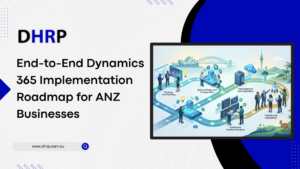
Implementing Dynamics 365 is not just software deployment; the structural transformation is what aligns technology with business goals. Without a clear roadmap, Australia and New Zealand (ANZ) businesses could struggle with unclear requirements, prolonged schedules, and underutilized systems.
ANZ regional compliance requirements, such as GST, payroll regulations, and data governance standards, make this process even more difficult. That’s why a top-notch Microsoft Dynamics 365 implementation roadmap is needed for smooth execution, minimal risk, and maximum ROI.
In this guide, you’ll learn everything about the implementation journey from project timelines to costs and key roles involved. This structured process helps companies, institutes, and organizations in decision-making.
What does Dynamics 365 Implementation mean?
A Dynamics 365 implementation is defined as launching Microsoft’s cloud-based ERP or CRM solutions to fix disconnected systems, automate manual processes, and increase operational visibility.
Parts of D365 Implementation are:
- Designing and setting up the system
- Data migration from legacy systems
- Customization and third-party integrations
- User training and ongoing support
Businesses’ decision to move to Dynamics 365 starts with frustration. Teams play with multiple tools that are distant, making the process more complex and losing opportunities. This is where Microsoft Dynamics 365 implementation comes in; it brings everything into one unified system that actually works the way your business does. So no more forcing your operations to adapt to software.
Benefit: It unifies finance, sales, operations, and customer data into a single platform, so you don’t need to go back and forth.
Simply said, it’s not just about installing software; it’s about building a system that removes bottlenecks and supports how your business runs every day.
Why Is An Implementation Roadmap Needed?
Investing in Dynamics 365 implementation services is an important decision. But software alone cannot do anything without a solid plan.
A structured roadmap makes one hundred percent absolute that your Microsoft Dynamics 365 implementation delivers measurable outcomes like faster processes, better reporting, improved customer insights, and long-term scalability.
With a Dynamics 365 ERP implementation, you can address critical areas such as cloud adoption trends, multi-entity operations, data security, and compliance requirements.
A system could be technically functional, but without a structured roadmap, it will be poorly adopted and underutilized. In short, a clear roadmap is the answer if a business wants to move from implementation to impact with fewer risks.
Step-by-Step Process - Dynamics 365 Implementation Roadmap
Every roadmap consists of multiple steps; Microsoft Dynamics 365 implementation is no exception. Each step ensures that, from stakeholders to users, everyone is aware of how the new plan aligns with their specific business goals. By the end of this section, you’ll get a clear idea of how each phase connects and what the main activities are, the key deliverables, and the typical timeline for each phase.
6 Phases of Microsoft Dynamics 365 Implementation
1. Requirement Gathering: The Initial Analysis Phase
The first step is analyzing what your business needs and then building a plan around what’s working and what’s not. To gather all the required data, all the stakeholders need to be involved, whether they are from sales, operations, HR or the finance department.
The process involves:
- Looking into legacy processes and systems for loopholes
- Communicating with key stakeholders in workshops to define project scope and objectives
- Discovering the gaps and inconsistencies
- Strategizing what needs to be addressed first
- Creating Business Requirements Document (BRD)
Timeline:
The whole process usually takes two to four (2-4) weeks. It depends on the number of stakeholders involved and the clarity of business requirements.
2. Solution Designing: The Planning Phase
Now that everything is predefined, we are ready to enter the second phase, ‘designing a solution.’ Planning first saves businesses from costly changes later. The purpose of this phase is to create a map for current and future growth needs, in short, long-term success.
The process involves:
- Reviewing data gathered during workshops and from the BRD plays a vital role in this phase.
- Understanding and comparing the business needs and standard Dynamics 365 features before starting the blueprint.
- Designing system architecture keeping in view Dynamics 365 modules, system data flows, security, and cloud environment setup, i.e., Azure.
- Ideating and developing migration and integration plans, i.e., integrating existing ERP systems and 3P tools.
- Finding out if there is any need for customization and extension planning. And when required, developing a Functional Design Document (FDD) or Technical Design Document (TDD).
- Creating a Solution Design Document (SDD), an implementation plan, and a training & testing strategy.
Timeline:
The whole process usually takes three to six (3-6) weeks. It depends on the number of customizations or integrations and the complexity of the business.
3. Development & Configuration: The Implementation Phase
Once the design is created and approved, it’s time to apply it. The system is actually built and configured in this phase. The reality of Dynamics 365 ERP implementation came into being through system setup and custom development.
The process involves:
- Configuring standard features and setting up business rules, charts of accounts, and workflows.
- Utilizing built-in and out-of-the-box (OOTB) tools and settings as per specific business requirements.
- Developing custom workflows, fields, and entries when standard features don’t fulfill the needs.
- Linking Dynamics 365 to external systems and developing APIs.
- Setting user access and permissions
- Initiating the data setup so developers can conduct unit testing before migration.
Timeline:
The whole process usually takes six to twelve (6-12) weeks. It depends on the number of modules and the complexity of customizations or integrations.
4. Data Migration & Testing: The Validation Phase
Testing before going live is the key to a perfect implementation. This phase is about checking all the boxes by verifying accurate data transfer and system performance.
The process involves:
- Cleansing inaccurate and outdated data and standardizing the formats.
- Mapping, Migration, and Validation of legacy systems’ data to the Dynamics 365 structure.
- Running system and user acceptance testing (UAT).
- Stabilizing the system by fixing any inaccuracies or bugs found during testing.
Timeline:
This phase usually takes four to eight (4-8) weeks. It depends on the number of UAT cycles and legacy systems.
5. Deployment: The Go-Live Phase
This is the phase where everything comes together. The system we’ve been planning is now coming into execution. Dynamics 365 became live for business use.
The process involves:
- Running final data migration, ensuring zero data loss.
- Conducting final system checks by reviewing all the workflow, integrations, and modules are working properly.
- Offering sessions, guides, and appropriate material for employee/user training.
- Rolling out the Microsoft Dynamics 365 for business use.
Timeline:
This phase usually takes one to two (1-2) weeks. It depends on whether the system was launched at once or in phases, system stability, and user readiness.
6. Hypercare & Ongoing Support: The Stabilization Phase
Process doesn’t end with the system going live; the ongoing support plays a crucial part in the MS Dynamics 365 implementation. The problems could arise after real-world usage; however, making sure everything works seamlessly for the user and the business is really important.
The process involves:
- Addressing any problems, fixing bugs, and troubleshooting issues immediately
- Assisting users in navigating the new system
- Monitoring system performance and creating reports
- Handing over everything to the internal support team
Timeline:
This phase usually takes two to four (2-4) weeks. It depends on the number of post-launch issues, user adoption, and system stability.
Which Key Roles are Essential for the Dynamics 365 Implementation Project?
Rolling out a system is not a one-person job; it takes a whole team to execute it. Dynamics 365 Implementation partners play a vital role in planning, designing, and implementing the system.
These key roles are as follows:
- Project Manager - Planning and connecting each phase
- Solution Architect & Designers - Mapping out the whole process
- Functional Consultant - Integrating
- Technical Consultant - Taking care of the technical side of the project
The process of choosing these partners is not random; specific things like Microsoft certifications, industry expertise, and experience in the regional market, implementation, and post-launch are considered.
What is the Cost of Microsoft Dynamics 365 Implementation in the ANZ Region?
Microsoft Dynamics 365 implementation costs depend on a wide range of factors, including licensing fees, business size, number of modules, ongoing support, training sessions, and project complexity. However, having a rough estimate can help develop a budget.
Costs start from as low as $5K for small business to $5M+ for Enterprises and Tech Giants. The average budget lies between $75K to $3M
What are the Common Challenges During Dynamics 365 Implementation?
Challenges come with every software migration and implementation; avoiding them should be the focus.
- Bad requirement gathering - If all the needs are not known at the start of the process, resources are wasted. Spend time in the discovery phase and communicate with stakeholders.
- Unrealistic timelines: Timelines should be made with buffer time in mind.
- Untrained Users: If users are not trained and supported properly, the new system is as beneficial as the old.
- Migration Issues: Data must be cleansed and validated promptly.
Final Verdict
The ANZ businesses need Microsoft Dynamics 365 implementation roadmap if they need to stay abreast and compete in the market. Each step or phase in the roadmap is structured for long-term success from discovery to ongoing support.
Business owners and decision makers need top-tier Dynamics 365 implementation services and experienced partners to eliminate risks, control costs, and achieve faster ROI.
FAQs
Usually three to twelve months, depending on the complexity and size of the company.
Depending on scale and personalization, prices can range from $50,000 to more than $500,000.
Partners guarantee quicker, more effective implementation, lower risks, and contribute experience.
Five stages are main: plan, design, development, testing, deployment, and hypercare.