Customer relationship management emerged in the 1970s. Maybe not in the systems, but in a certain aspect. In fact, some of the biggest CRM software companies have been providing solutions for over 15 years.
Since the market has been here for decades, there are many competitors there too. So, when the question is about choosing the CRM, it isn’t just about managing contacts.
Previously, we explored Dynamics 365 Omnichannel strategies and discussed Voice CRM technology and its benefits. Today, we will compare two popular CRM platforms, Dynamics 365 and Salesforce, to help businesses decide which one best suits their needs.
For any business in Australia or worldwide, the right platform has a huge impact on small and large enterprises in how their teams collaborate, analyse data, or scale.
When evaluating Dynamics 365 CRM vs Salesforce, it’s important to remember that both are built on different design philosophies. The one that may work for one business can be a total loss for another. So, how can you tell if it is suitable for your business? By understanding the major differences between Dynamics 365 and Salesforce.
What Is Salesforce?
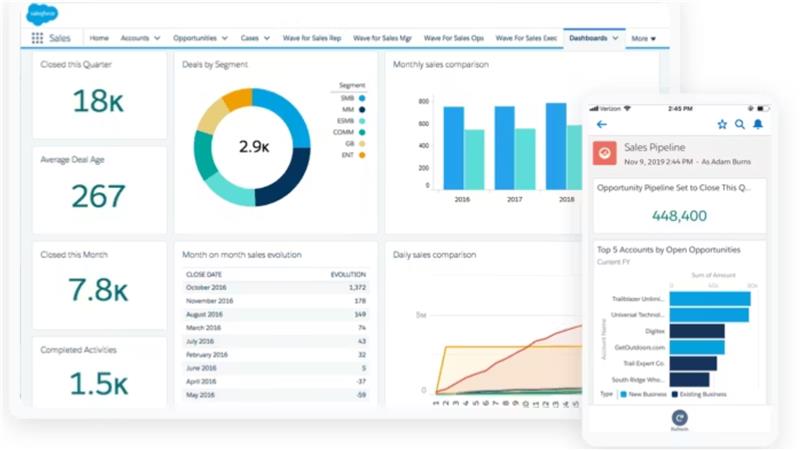
Salesforce is a cloud-based CRM platform designed primarily to manage customer interactions across sales, marketing, and service. It focuses heavily on customer engagement, lead management, pipeline visibility, and marketing automation through its modular cloud offerings, including Sales Cloud, Service Cloud, and Marketing Cloud.
With its Customer 360 data model and AppExchange marketplace, Salesforce enables businesses to tailor CRM workflows through a wide range of third-party integrations, making it especially appealing to organisations with complex, customer-centric processes.
What Is Dynamics 365 CRM?
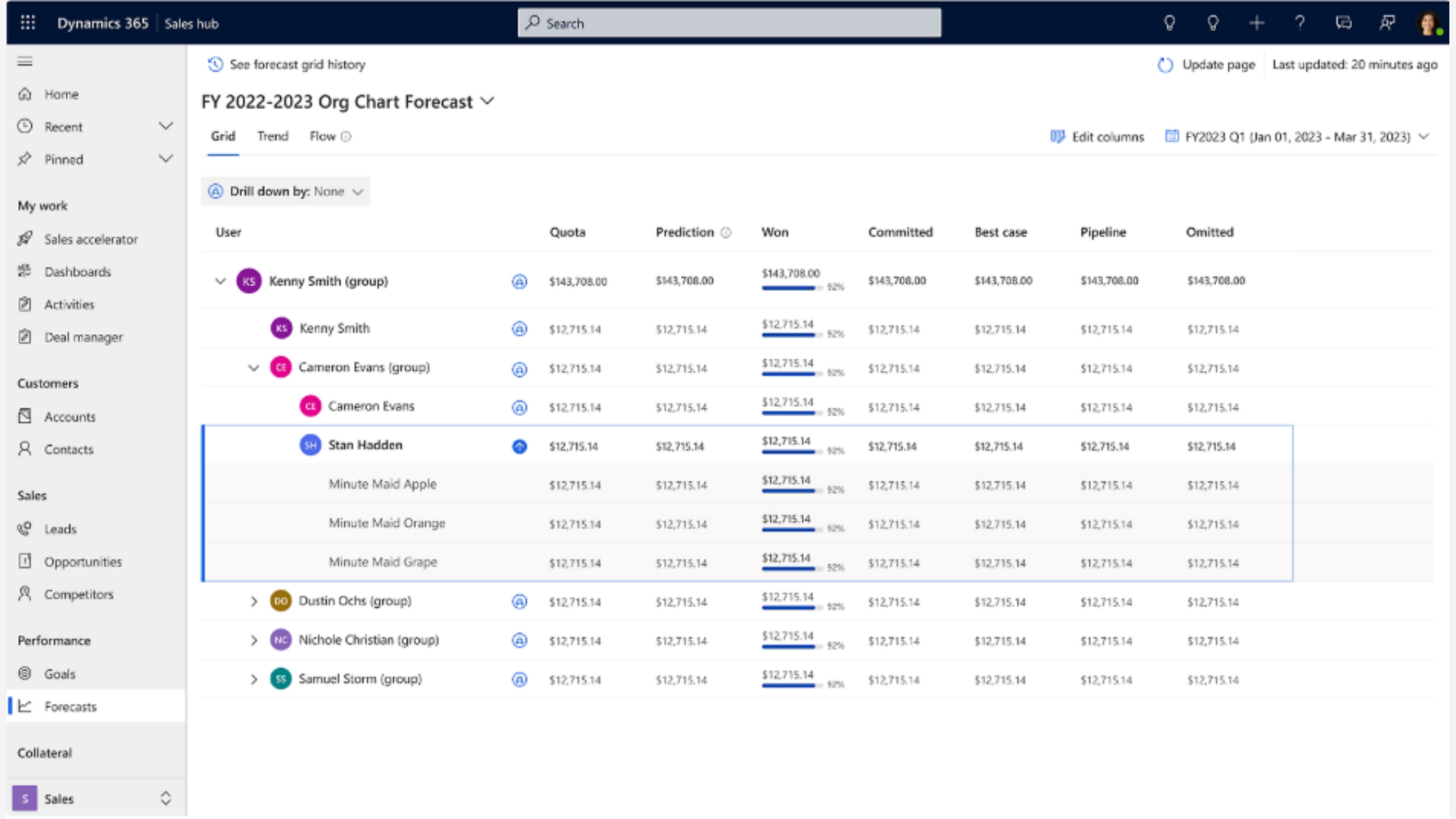
Microsoft Dynamics 365 CRM is part of the broader Dynamics 365 business application ecosystem, combining CRM capabilities with deep integration into Microsoft’s ERP, productivity, and cloud platforms. It supports sales, customer service, marketing, and field service while seamlessly connecting with Microsoft 365, Power Platform, Azure, Power BI, and LinkedIn.
This unified approach enables businesses to align customer data with finance, operations, and analytics, making Dynamics 365 CRM particularly well-suited for organisations seeking end-to-end visibility and operational efficiency beyond traditional CRM functions.
Why Do You Need a CRM for Your Business?
A CRM system helps businesses move beyond scattered customer data and manual processes by creating a single, structured way to manage relationships, sales, and service interactions.
It gives teams better visibility, improves coordination, and supports informed decision-making as the business grows.
- Centralises customer information so sales, marketing, and service teams work from the same data.
- Improves lead tracking, follow-ups, and opportunity management across the sales pipeline.
- Enhances customer experience through timely communication and personalised interactions.
- Provides reporting and insights to support better forecasting and business decisions.
- Supports scalability by standardising processes as teams and customer volumes grow.
Key Comparisons: Dynamics 365 CRM vs Salesforce
So, what matters to the business leaders might change the whole decision.
Here is what you need to focus on with Dynamics 365 CRM vs Salesforce: mobile-first CRM solutions that keep teams productive and allow them to access critical customer data anytime, anywhere. What else? Let’s explore below.
1. User Experience & Adoption
User experience plays a major role in how quickly teams adapt to a CRM system and start using it effectively. Familiar tools, interface design, and daily workflows can significantly influence adoption success.
- For businesses that already use Teams, Outlook, and Office 365, Dynamics 365 CRM adoption frameworks offer a familiar interface that frequently lowers the learning curve and accelerates adoption.
- Many sales teams find Salesforce's Lightning interface and dashboard design to be very user-friendly at first, especially if they are unfamiliar with Microsoft products.
Practically speaking, teams accustomed to using Microsoft products can often become more proficient with Dynamics more quickly, whereas users without such experience may find Salesforce to be instantly intuitive.
2. Customisation & Automation
Although both platforms support sophisticated custom workflows and automation, their methods are different:
- Salesforce uses tools like Apex and Flow Builder for intricate automation and deep customisation. For companies with specialised customer journeys and automation requirements, this is great.
- For low-code/low-effort app customisation, Dynamics 365 CRM makes use of the Power Platform (Power Apps, Power Automate). This ecosystem can support extensive business process automation beyond CRM and lessen the need for specialised developers.
The Power Platform often means more control with less reliance on outside sources for SMBs with limited technical resources.
3. AI, Predictive Insights & Intelligence
CRM strategy now revolves around artificial intelligence:
- Salesforce Einstein AI improves forecasting, customer insights, and predictive lead scoring, particularly in sales and marketing pipelines.
- Copilot in CRM systems like D365 provides embedded AI for CRM and Microsoft 365 workflows, assisting with next-best actions, email generation, meeting summaries, and predictive insights, often without the need for extra licensing layers.
One important difference is how the AI relates to day-to-day tasks: Dynamics 365’s Copilot integrates lead-scoring models from modern CRM into users’ broader productivity tools, whereas Salesforce’s AI is primarily CRM-specific.
4. Integration: Ecosystem and Extensions
CRM strategy now revolves around artificial intelligence:
- Microsoft 365, Teams, SharePoint, Power BI, Azure, and LinkedIn are all natively integrated with Dynamics 365 CRM. When connecting analytics, unified CRM data, communication, and collaboration, this lowers expenses and complexity.
- With thousands of apps and plugins covering accounting, e-commerce, customer support, and industry-specific tools, Salesforce provides one of the biggest third-party ecosystems through AppExchange.
Although Salesforce’s extensibility is unparalleled, it frequently requires extra licenses and configuration work. Simplifying integration with tools that many businesses already rely on is one of Dynamics 365’s strengths.
5. Functionality Across Core Business Use Cases
Both platforms offer the key CRM features you’d expect, such as managing leads, tracking opportunities, generating reports, and providing mobile access to customers. But things get interesting when you look beyond just the basics:
- Salesforce really shines with its advanced marketing tools (such as Marketing Cloud), community engagement options (thanks to Experience Cloud), and ready-to-go solutions tailored to different industries.
- Dynamics 365 CRM, on the other hand, excels in areas like case management, field service, project operations, and its integration with ERP systems. This makes it a better fit for businesses that need their CRM to tie in closely with finance, operations, or service delivery.
So, depending on whether your company is more focused on deep marketing strategies or seamless operational efficiency, one of these platforms will likely offer more value than the other.
6. Pricing & Total Cost of Ownership (TCO)
When it comes to cost, SMBs are always thinking about it.
- Salesforce has a pretty low starting price, but watch out! The costs can jump up quickly if you decide to add AI features, more clouds, advanced service options, and integration layers.
- On the other hand, Dynamics 365 CRM tends to have more straightforward pricing for its essential functions, and they even offer discounts if you bundle it with other Microsoft licenses. Plus, when you look at the long-term total cost of ownership, Dynamics 365 often comes out as the more budget-friendly choice, especially since it integrates so well with other Microsoft tools, which can help cut third-party software costs.
For SMBs planning to scale, evaluating long-term costs rather than entry-level pricing can significantly improve overall CRM ROI.
7. Security, Compliance & Data Considerations
Both platforms comply with global security standards, such as ISO and SOC.
That said, Dynamics 365 benefits from Azure’s local data centres, which can make it easier for regulated industries in Australia, such as finance or healthcare, to meet compliance requirements.
Cost Comparison: Dynamics 365 CRM vs Salesforce
Category | Dynamics 365 CRM | Salesforce |
Entry Level CRM | Sales Professional – ~$65/user/month | Sales Cloud Essentials – ~$25/user/month |
Mid-Tier CRM | Sales Enterprise – ~$95–105/user/month | Sales Cloud Professional – ~$100/user/month |
Advanced CRM | Sales Premium – ~$135–150/user/month | Sales Cloud Enterprise – ~$160–175/user/month |
Premium/Unlimited | Can be configured with add‑ons/apps (varies) | Unlimited – ~$350+/user/month |
Marketing Module | Dynamics 365 Marketing – from ~$1,700/tenant/month | Marketing Cloud – from ~$1,500+/month |
Customer Service CRM | Customer Service Professional – ~$50/user/month | Service Cloud (varies by tier) |
Billing Model | Per user/month, billed annually | Per user/month, billed annually |
Salesforce typically has a lower entry price, but costs can scale quickly as you add advanced features. Dynamics 365 CRM usually offers more value at mid to advanced tiers, especially when bundled with other Microsoft tools.
Which One Is Right for Your Business: Best CRM for Business in 2026
Both excel in different aspects:
Salesforce may suit you best if:
- Sales and marketing automation is key to growth.
- You'll need a bunch of third-party integrations through AppExchange.
- Plus, you're looking for a quick setup with adaptable modules.
Dynamics 365 CRM may suit you best if:
- You’re already using Microsoft 365 and Azure in your business.
- You also want a CRM that works seamlessly with your finance, service, and operations teams.
- Having a steady cost and solid integration are among the benefits of Dynamics 365 CRM over Salesforce.
Conclusion
Choosing the right CRM is crucial for business growth, and a Dynamics 365 CRM vs Salesforce comparison can help clarify which platform best fits your needs.
While Salesforce excels in marketing automation and third-party integrations, Dynamics 365 CRM offers seamless integration with Microsoft 365, Power Platform, and Azure, often reducing CRM implementation cost and simplifying workflows.
Businesses seeking long-term operational efficiency and connected processes may find a Dynamics 365 CRM implementation more cost-effective. At DHRP, with our CRM consulting services, we help organisations worldwide evaluate these platforms.
Also, plan cost-effective implementations, and maximise adoption to ensure your CRM investment drives real results.
FAQs
Dynamics 365 CRM integrates deeply with Microsoft tools, with a focus on operational efficiency. Salesforce prioritises marketing automation and customer engagement, and offers a vast third-party ecosystem.
If your business relies on Microsoft 365 and operational alignment, Dynamics 365 CRM is ideal. For strong marketing and third-party app needs, Salesforce may be a better choice.
Dynamics 365 CRM provides straightforward pricing and native Microsoft integration. Salesforce offers flexible features, but it can increase CRM implementation costs with added clouds and AI tools.