Certified Microsoft Dynamics 365 Partner - Est. 1993 - Melbourne - Sydney

Microsoft 365 Implementation

Empower ANZ Businesses WithMicrosoft 365 Implementation

Slow approvals, mismatched tools and scattered files are a daily problem for ANZ teams. Multimodal communication (e-mail, chat, documents, etc.) between the various applications makes real-time collaboration virtually impossible for expanding businesses.

DHRP, a Microsoft 365 implementation partner, designs, migrates, and sets up your workspace, enabling cross-functional teams to operate from a single secure, connected platform.

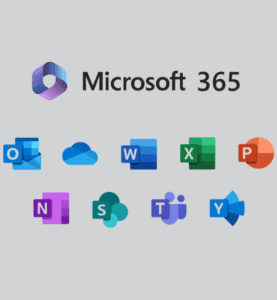
Microsoft 365 Implementation hero visual

Trusted By Government, Non-Profit & ASX-Listed Companies

Wilson Security
Microsoft
Pepperstone
Wilson Security
Pacific HVAC
IPH
NPS MedicineWise
Pacific Ventilation
Wilson Security
Microsoft
Pepperstone
Wilson Security
Pacific HVAC
IPH
NPS MedicineWise
Pacific Ventilation

DHRP Services

Why ANZ Teams Choose Microsoft 365?

Microsoft 365 integrates email, files, chat and meetings into a unified workspace. It means no more app-switching or slower decision-making for businesses in Australia and New Zealand. It means one secure environment for distributed teams to work collaboratively in real time.

  • Work from anywhere
  • One login, one inbox, one shared file system
  • Co-authoring real-time in Word, Excel, and PowerPoint
  • The integration of built-in AI assistance in Microsoft 365 Copilot
  • Microsoft's global SLA provides enterprise-level uptime guarantees
Microsoft 365 Implementation consulting visual

What Can You Expect from Microsoft 365 Implementation?

Microsoft 365 is a cloud-first, integrated workplace experience that includes over 25 apps for communication, documents and email. A DHRP-led rollout adheres to Microsoft's implementation best practices so that your teams experience minimal disruption, with everything configured, secured, and tested before go-live.

  • Complete review of existing infrastructure and licences.
  • Securely configure and migrate Microsoft 365 tenant configuration and data
  • Designed for you and your workflows, SharePoint and Teams integration.
  • Continuous monitoring and post go-live support

Microsoft 365 also includes built-in AI capabilities, with Copilot and automated workflow capabilities with Power Automate, as well as real-time analytics in Excel. These tools make it easier for teams to focus on time-consuming administrative tasks and business moving forward.

  • AI drafting, summarising, and analysis using Copilot.
  • Automated approvals and workflows by Power Automate.
  • Custom business applications designed using Power Apps.
  • Advanced analytics in real time in Excel and PowerPoint.

DHRP Services

Features You Get With Microsoft 365 Implementation Services

Microsoft 365 delivers a comprehensive, connected suite of tools designed for today's secure collaboration. DHRP sets up and incorporates the following into your implementation. With a Microsoft 365 implementation, the features you get include:

Microsoft Power Apps

An application development service that lets you create, connect, and deploy specialised applications that run on all devices. Integrate them with Microsoft 365, SharePoint, OneDrive, SQL Server and other on-premises or cloud data sources.

Microsoft 365 Apps for Web and Mobile

Your subscription includes access to Word, Excel, PowerPoint and Outlook, all from any device, anywhere. You just need to have a modern browser and an internet connection to access your files stored in the cloud.

Microsoft Teams

Integrates chat, video calling and file collaboration into a single workspace so ANZ teams can stay connected regardless of their location, Sydney, Auckland, or otherwise.

Microsoft 365 Copilot

AI-powered tools that create, summarise and analyse content within Word, Excel, Outlook, and Teams, streamlining your team's everyday tasks.

Microsoft To Do

Track your or their to-do list, from individual to collective work items, in a simple task management app that syncs across all devices within the Microsoft 365 ecosystem.

Microsoft Loop

A co-creation workspace that captures all project elements, notes, and tasks in a single location for your team to work across the apps and devices they use.

SharePoint

A safe place to manage and collaborate on documents, enabling teams to create, share, and manage documents and apps within a controlled environment.

OneDrive

Cloud storage without an internet connection; changes sync automatically when reconnected to the internet.

Microsoft Purview

Tools for data security and compliance that use access controls, data loss prevention and retention policies which are based on Australian and New Zealand privacy requirements.

DHRP Services

Challenges Without Microsoft 365 Implementation

Microsoft 365 Implementation process visual

Without Microsoft 365 deployment or implementation, ANZ businesses can find their data all over the place, security configurations are inconsistent, and their teams are working in disconnected applications. These gaps hinder collaboration, raise compliance issues, and make it difficult to scale when teams expand.

Lack of Collaboration

Anything from files to communications is lost in separate tools, wasting time as teams search instead of working. Real-time collaboration is almost impossible between offices.

Inconsistent Security & Compliance

Sensitive documents are transferred between platforms that are not secure, and there is no policy in place, increasing compliance risk under the Australian and New Zealand privacy regulations.

Communication Breakdown

Teams are using email, chat, and video tools that don't communicate, resulting in lost messages and duplicated efforts.

Scattered Storage

Files reside on personal drives, in emails, and in local storage, making version control and secure access challenging.

DHRP Services

5 Steps of Microsoft 365 Implementation: Process & Benefits

Working with DHRP as your implementation partner for Microsoft 365 means a rollout that is organised around your business, and not the community. ANZ teams receive a secure, pre-configured workspace, live training and support to ensure everything runs smoothly.

Discovery & Assessment

We look at your existing IT infrastructure, licenses and security requirements and create a custom plan to implement for your company.

Configuration & Migration

Your Microsoft 365 tenant is configured, data is migrated safely, and SharePoint/Teams are set up to replicate your team's working environment.

Security & Compliance Setup

We implement access controls, data loss prevention and compliance configurations that meet Australian and New Zealand Privacy Requirements.

Training & Adoption

Your team will be trained and comfortable with Microsoft 365, Teams and Copilot, and the adoption will be rapid.

Post-launch Support

After launch, we monitor the environment, handle updates and offer ongoing support to ensure your environment runs smoothly.

DHRP Services

Need a Microsoft Office 365 Implementation Consultant?

Our experts will first understand your goals and requirements before recommending the most suitable and cost-effective licensing options for you. Once our DHRP team has created a comprehensive Office 365 implementation checklist and plan, we will discuss important aspects such as backup, security, and access to ensure a smooth and secure deployment.

Faqs

Ask Questions! It's Your Right To Know!

Still have questions? Our team is happy to help.

Get in touch

Your Microsoft 365 implementation partner will design your rollout to meet your business needs and existing systems. They move emails and data, and configure SharePoint, Teams, security and access. They can also be used for compliance support, user training and testing prior to launch. The process will assist in minimising disruption and ensure that your team is ready to use Microsoft 365 effectively.

The timeframe will vary based on volume, user count, systems and complexity of the migration. For most mid-sized ANZ businesses, it can take a few weeks to set up and migrate, though it could be longer for larger projects. It usually involves assessment, configuration, data migration, testing and training. Having a clear plan will reduce disruption at go-live.

Microsoft 365 provides security and compliance capabilities and capabilities to assist businesses in complying with privacy requirements. Compliance with the Australian Privacy Act 1988 and the New Zealand Privacy Act 2020 will rely on the configuration and usage of the platform. For eligible services, the New Zealand Azure region, opened in December 2024, offers local data residency options. Applicable legal obligations will continue to be a business's responsibility.

Typical SharePoint integration with Teams consists of creating document libraries, permissions, and site structures. SharePoint handles document storage, and Teams provides collaboration channels and conversations. It can also feature workflows for approvals, access controls, and document management policies. Employees are able to work together and organise files with user training.

Get in Touch with us Today!

We'd love to hear from you. Please fill out this form.

Security Check8 + 5 = ?