In-Depth Employment Information
Maintain relevant employee, position, employment, and organisational information in a structured system. HR teams can work from more consistent records when reviewing employee conditions or making workforce changes.

Extend your Dynamics 365 environment with HR capabilities for employee administration, leave, competencies, enterprise agreements, and self-service. DHRP’s HR Add-On helps Australian and New Zealand organisations simplify workforce processes while keeping HR information connected with their existing business systems.
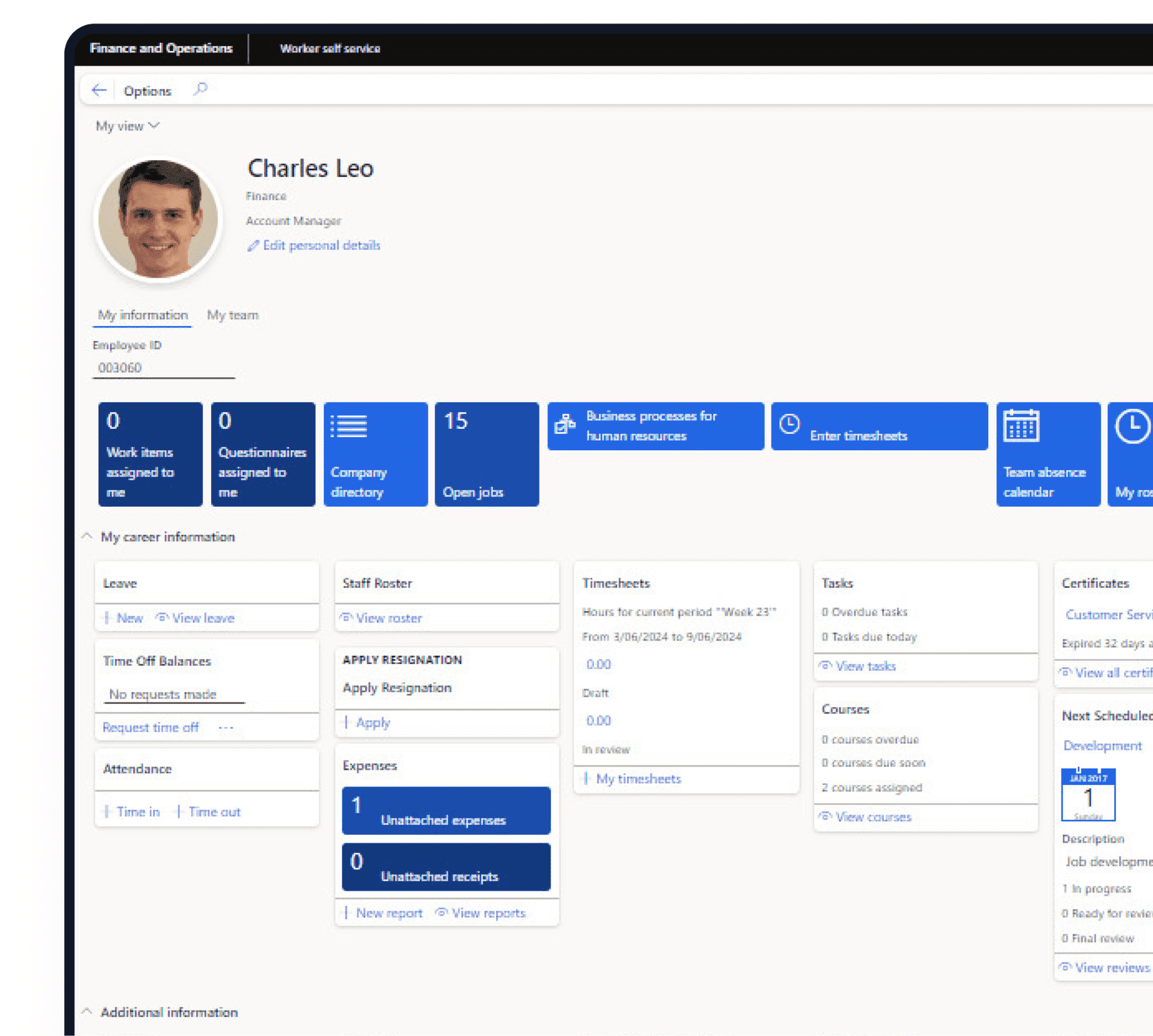






Dynamics 365 Solution
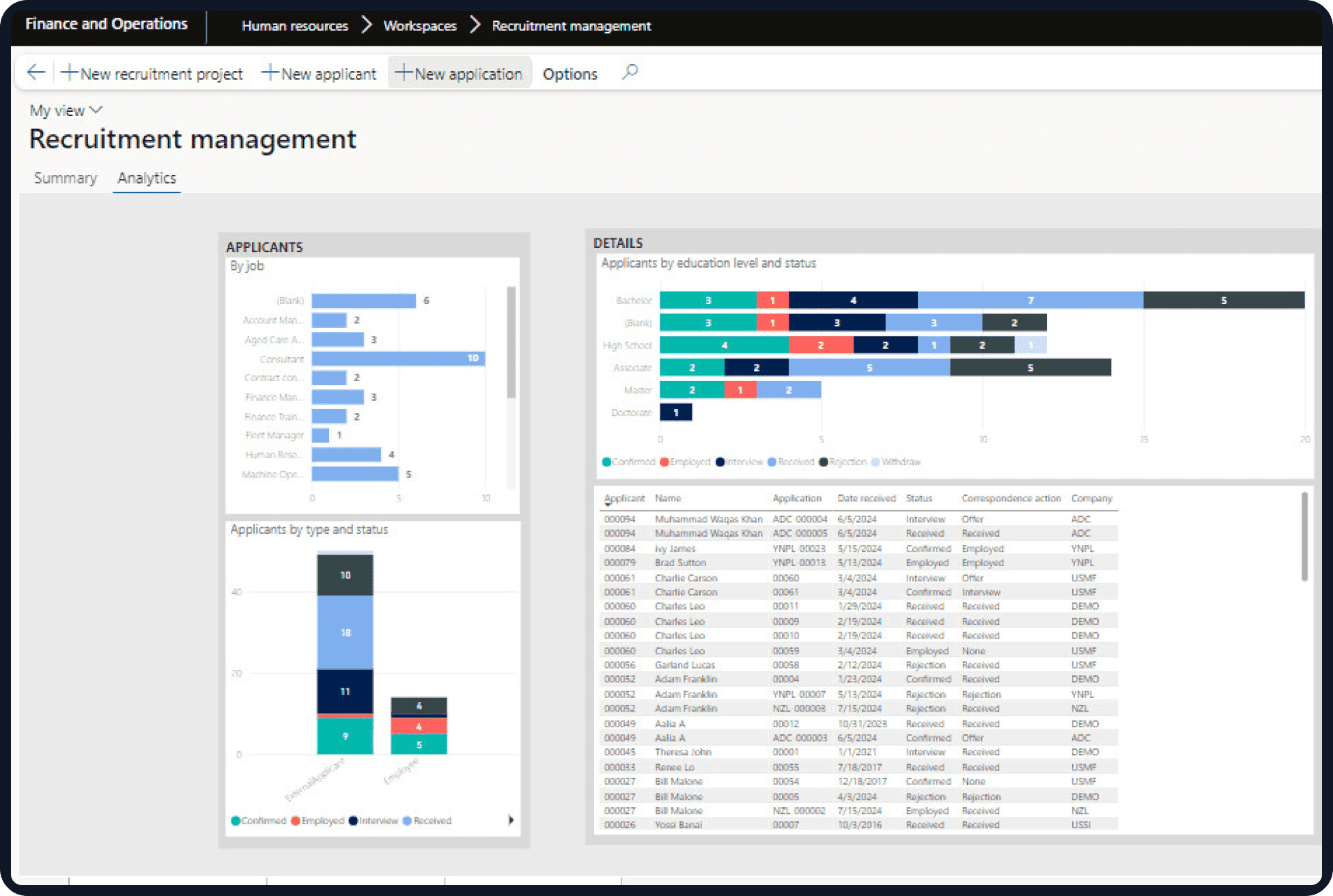
The Dynamics 365 HR add-on brings practical HR capabilities to organisations across Australia and New Zealand, extending the wider Dynamics 365 environment. It provides a structured way to handle employee information, employment conditions, leave, approvals, competencies, and routine workforce administration without relying on disconnected spreadsheets and manual processes.
The add-on can be configured around different employment arrangements, organisational structures, approval requirements, and HR policies. This is particularly useful for organisations managing multiple locations, business units, employment categories, or workforce agreements.
Rather than treating HR as a separate administrative function, the solution can connect workforce information with the business systems already used across finance, operations, payroll, and reporting.
HR teams can spend a significant amount of time maintaining employee information and handling routine requests. The problem becomes more noticeable when workforce numbers increase, or employment conditions vary between teams and locations.
The D365 Human Resources module ANZ can help address situations where:
A more structured HR environment can reduce repetitive administration while giving employees and managers better access to the information relevant to them.
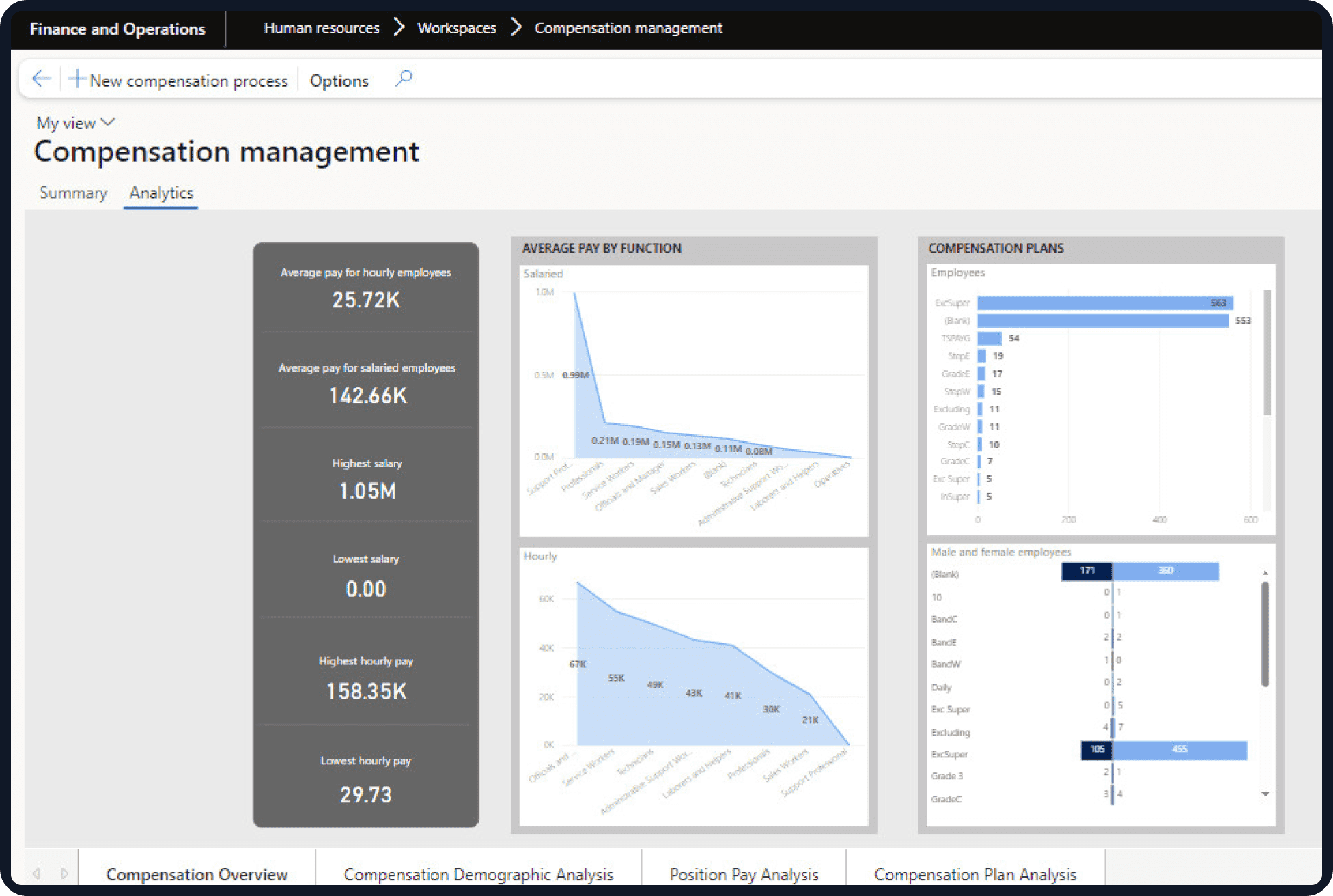
The HR Add-On brings together the workforce functions that sit behind everyday employee administration. Its capabilities can be configured according to the HR policies, employment structures, and existing Dynamics 365 setup.
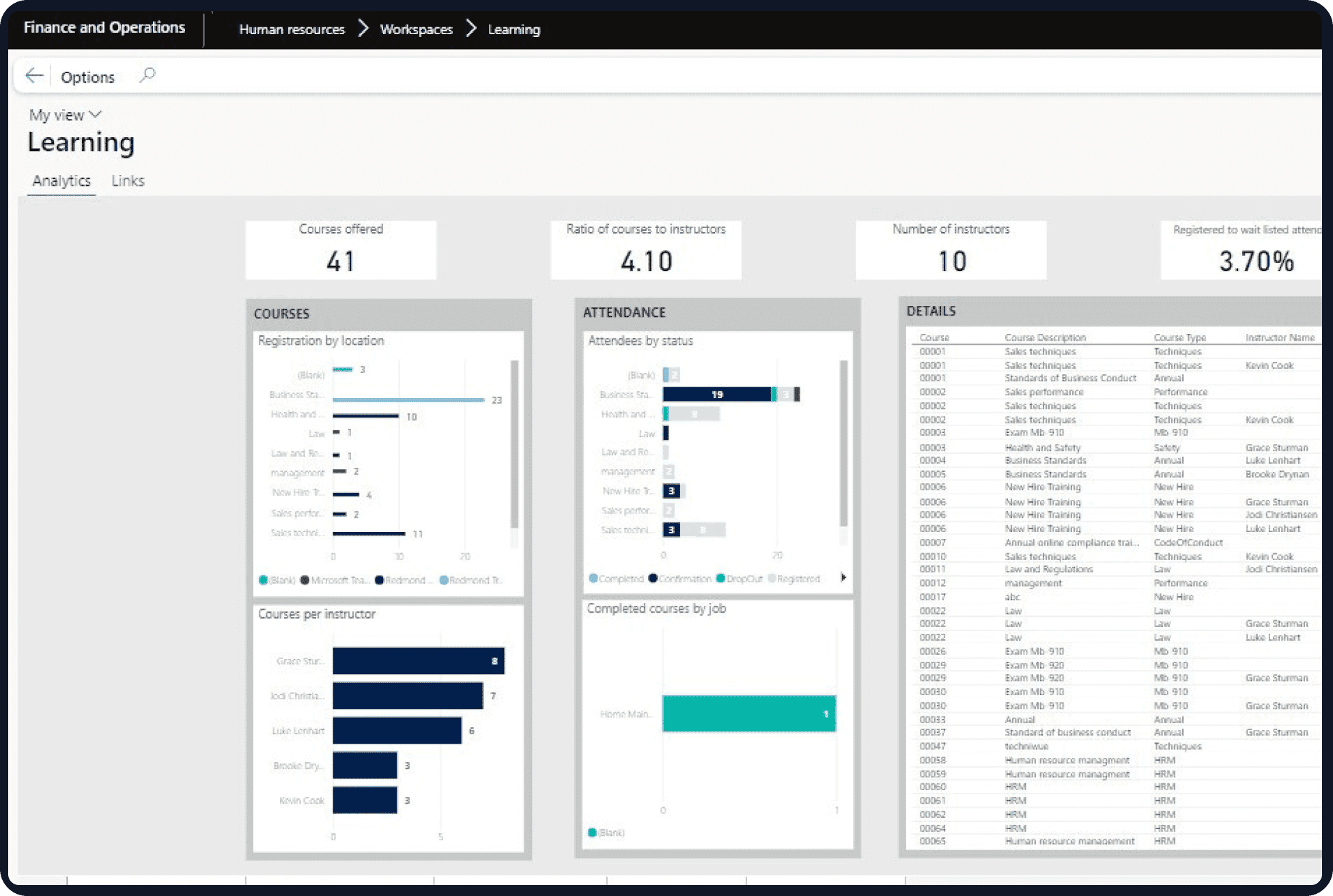
Support leave requests, approvals, absence records, and leave balances through a structured process. D365 leave and absence management for Australia and New Zealand requirements can be configured around organisational policies and different employee conditions.
Give employees access to relevant HR information and routine services without requiring HR staff to handle every request. A D365 employee self-service portal ANZ can support activities such as leave requests, employee information updates, and workflow-based approvals.
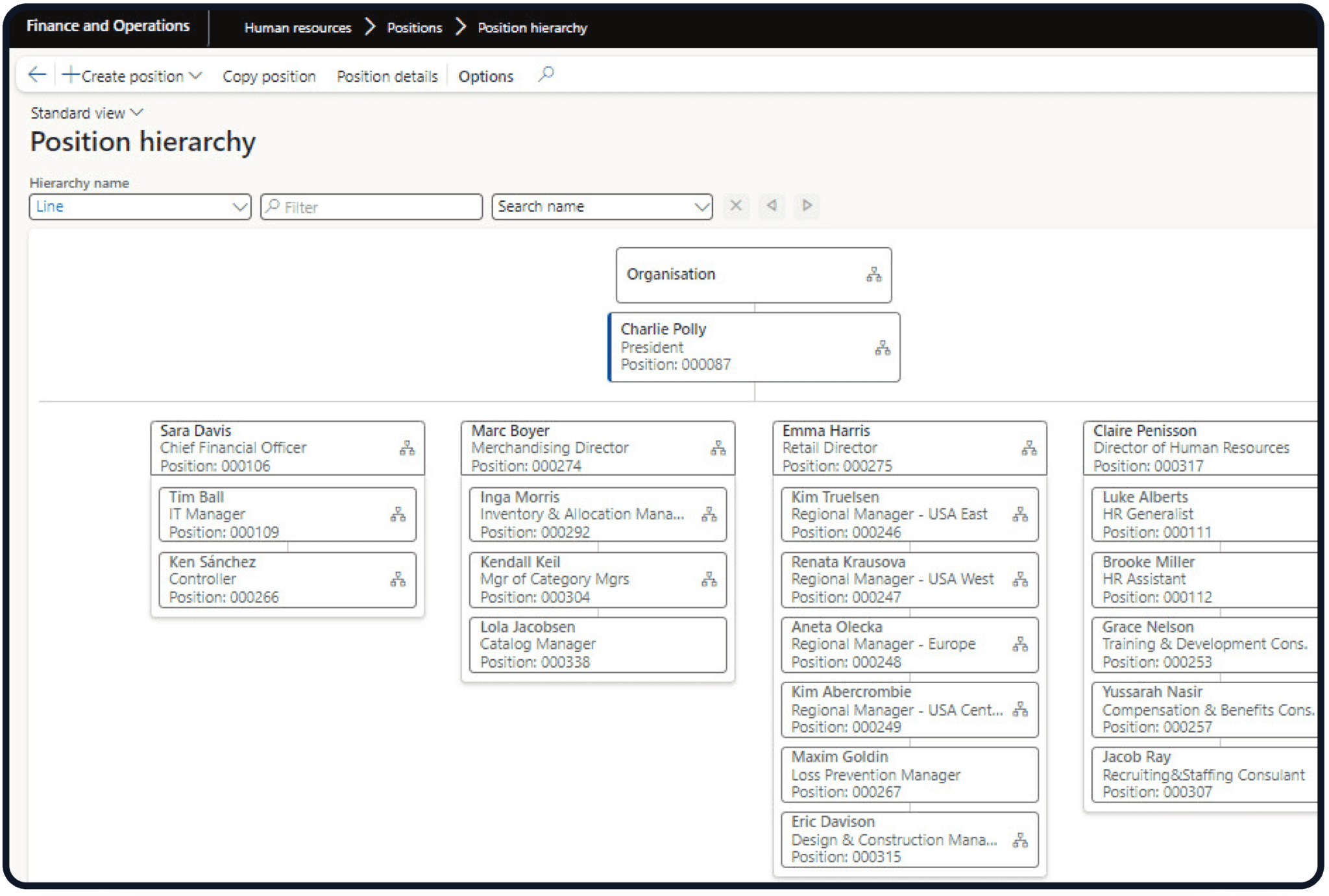
Maintain structured employee records covering employment details, positions, departments, reporting relationships, and other workforce information. The Dynamics 365 personnel management add-on ANZ can help keep these records accessible within the broader business environment.
Track employment conditions and agreement-related information for workforces operating under different arrangements. Enterprise agreement management D365 Australia NZ functionality can help HR teams maintain clearer records around applicable conditions and employee groups.
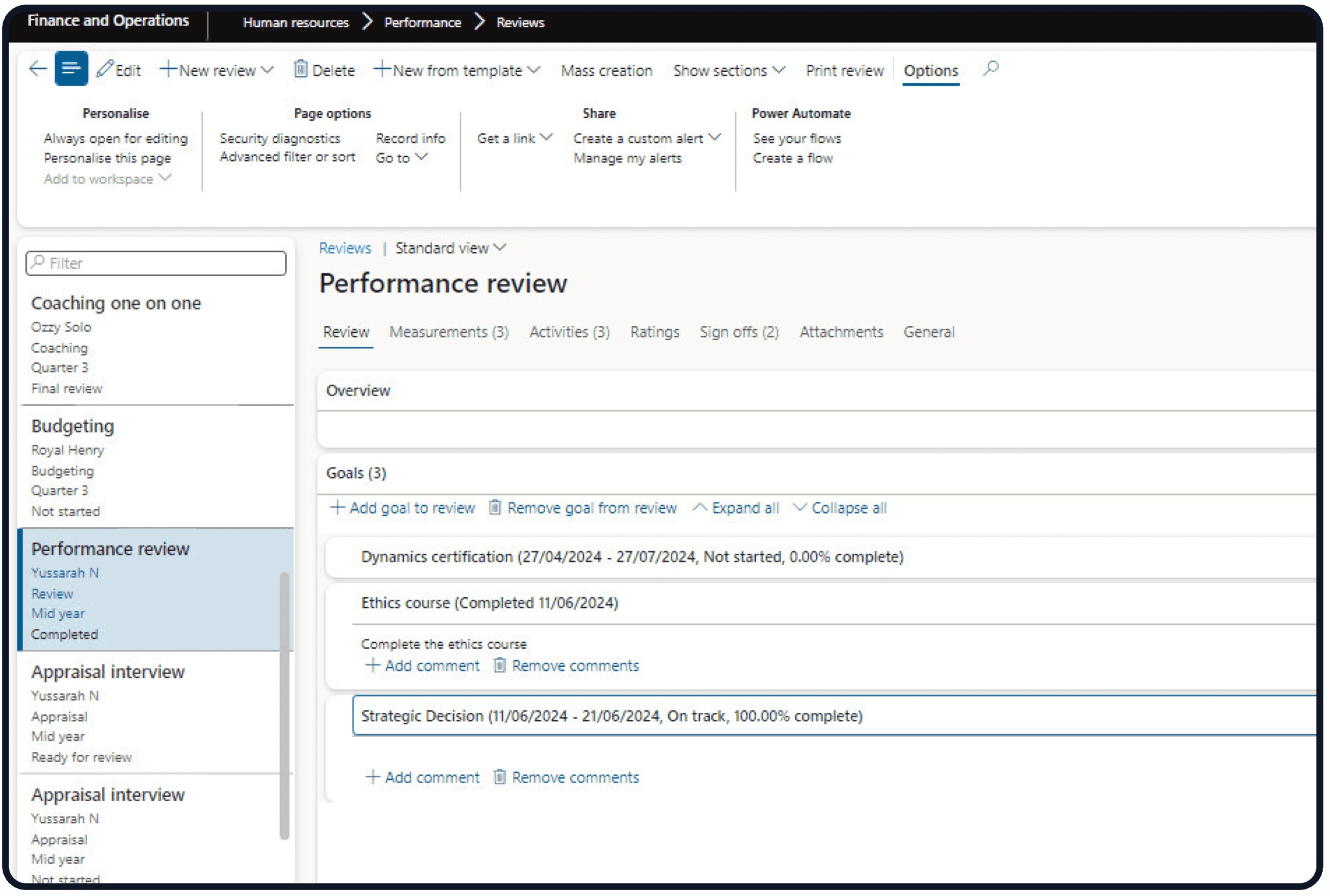
Maintain information about employee skills, qualifications, competencies, certifications, and development requirements. A D365 competency management system for Australia and New Zealand can give managers and HR teams better visibility into workforce capability.
Connect recurring HR activities across the employee lifecycle, from onboarding and employment changes through to transfers and offboarding. HR lifecycle automation in Dynamics 365 Australia NZ can reduce manual handoffs and make ownership of each activity more visible.
Standardise recurring HR approvals and requests using defined workflows. This can reduce email-based administration and give HR teams better visibility into actions waiting for managers or other authorised users.
Bring employee and HR process information into a structured environment for reporting. Teams can use relevant workforce data to review leave, employee records, competencies, organisational structures, and other HR information.
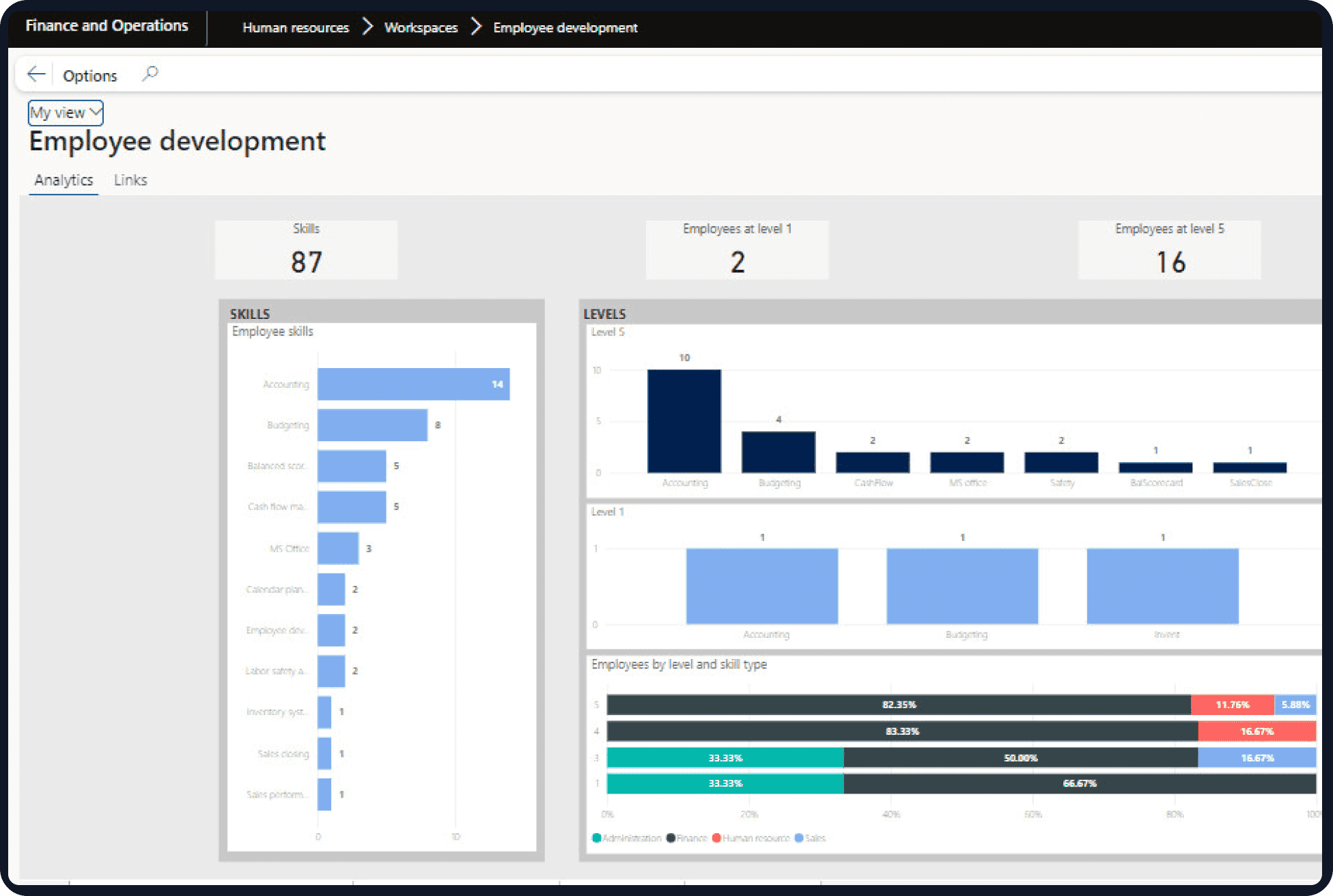
A successful HR implementation needs to account for more than employee records. Leave policies, employment agreements, approval hierarchies, competencies, payroll requirements, existing Dynamics 365 applications, and data structures all influence how the solution should be configured.
DHRP can help organisations assess their current HR processes, define the required configuration, prepare workforce data, establish workflows, and integrate the add-on with existing business applications. Testing and user training are also important, particularly where HR processes affect employees, managers, payroll, and finance.
For organisations replacing spreadsheets or older HR applications, implementation can also be used to clean up duplicate records and remove unnecessary manual steps. The result is a more consistent HR process without forcing every existing workaround into the new system.
Employees regularly need to request leave, update personal information, review employment details, or complete HR-related tasks. When each request goes directly to an HR administrator, simple activities can create a steady stream of manual work.
The D365 employee self-service portal ANZ capabilities can move suitable HR activities closer to employees and managers. Staff can submit requests and access relevant information, while managers can review and approve tasks within defined workflows.
This approach can be particularly useful for organisations with distributed workforces, multiple locations, or large numbers of employees. HR teams retain control over policies and processes while reducing the administrative work involved in routine employee interactions.
Dynamics 365 Solutions
HR administration becomes more complex when employees work under different agreements, have different leave conditions, or require specific skills and qualifications for their roles.
Maintain relevant employee, position, employment, and organisational information in a structured system. HR teams can work from more consistent records when reviewing employee conditions or making workforce changes.
Create defined processes for leave requests, approvals, and absence tracking. This can reduce reliance on email, spreadsheets, and manual balance calculations.
Maintain information associated with different employment agreements and workforce conditions. This gives HR teams a clearer reference point when administering employees across different groups.
Track skills, qualifications, certifications, and competency requirements against employees or roles. Managers can use this information when reviewing workforce capability and development needs.
Automate recurring approvals, notifications, employee requests, and lifecycle activities where appropriate. This reduces repetitive data entry and follow-up for HR teams.
Apply defined HR workflows across departments, locations, and employee groups. Standardised processes can make workforce administration easier to manage as the organisation grows.
Keep personnel and employment information in a structured environment that can support HR reporting and wider business processes.
HR information often needs to move between several systems. Employee changes can affect payroll, finance, reporting, identity management, time tracking, and other business processes.
Connect relevant employee and employment information with payroll systems to reduce duplicate data entry. Integration can be designed around the organisation's existing payroll platform and processing requirements.
The HR Add-On can work within a wider Dynamics 365 environment, allowing relevant workforce information to connect with other business applications and processes.
Employee and organisational information can support finance processes where workforce changes, departments, positions, or employee-related costs need to be reflected in financial systems.
Connect HR information with reporting tools to support workforce analysis, management reporting, leave reviews, competency tracking, and other operational requirements.
Employee records and employment changes can also form part of identity and access processes. Connecting these areas can help organisations manage user access as employees join, change roles, or leave the organisation.
Growing organisations often need to apply common HR processes while still accounting for different locations, employee groups, and employment arrangements. A single approach does not always fit every part of the workforce.
Support workforce administration across departments, business units, and larger organisational structures. HR processes can be configured around defined roles, approval levels, and organisational responsibilities.
Maintain employee and organisational information across offices, operational sites, branches, and other locations. Common workflows can be applied while allowing for relevant local requirements.
Support organisations with employees working under different agreements, conditions, or workforce arrangements. Structured records can make it easier to identify the conditions associated with particular employee groups.
Automate repeatable activities such as employee requests, approvals, onboarding tasks, employment changes, and notifications. This can reduce manual coordination between HR, managers, employees, and other departments.
The value of an HR add-on extends beyond replacing spreadsheets. Reduced administration, fewer duplicate records, faster employee requests, better workforce visibility, and stronger integration can all contribute to the overall return on investment.
Dynamics 365 Add-Ons
DHRP helps organisations across Australia and New Zealand design, implement, integrate, and support Microsoft Dynamics 365 solutions around their business requirements. Our team can work with your existing Dynamics environment and identify where additional HR functionality can reduce administration and improve workforce processes.
As a Microsoft D365 HR consultant in Australia and New Zealand, DHRP can support organisations with:
Our approach considers the systems, processes, and employment structures already in place rather than forcing organisations into a standard HR setup.
For organisations looking for a Microsoft D365 HR consultant in Australia and New Zealand, DHRP provides the implementation and technical support needed to extend Dynamics 365 with practical HR capabilities.
A Dynamics 365 HR Add-On extends an existing Dynamics 365 environment with additional workforce and HR administration capabilities. It can support personnel records, leave and absence, employee self-service, competencies, employment agreements, and HR workflows. This gives organisations a more structured way to manage everyday HR activities.
The solution can support leave requests, approvals, absence records, and leave-related information through structured HR workflows. Processes can be configured around the organisation's leave policies, employee groups, and approval requirements. HR teams and managers can also gain clearer visibility into submitted requests, pending approvals, and employee absence information.
Employee self-service allows staff to access relevant HR information and complete selected requests without relying on HR administrators for every task. Employees can submit requests through defined processes, while managers can review and approve relevant activities.
Enterprise agreement management can help organisations maintain information associated with different employment agreements and workforce conditions. This is particularly useful where employee groups operate under different arrangements, contractual requirements, or workplace conditions.
Relevant employee and employment information can be connected with payroll systems to reduce duplicate data entry and manual reconciliation. The integration approach depends on the organisation's existing payroll platform, data structure, and processing requirements. Connecting these systems can help maintain more consistent employee information across HR and payroll processes.
Yes. The solution can be configured around organisational structures, workforce arrangements, leave policies, and other requirements relevant to Australian and New Zealand organisations. It can also support different employee groups, locations, and employment arrangements within the same organisation. Specific employment, agreement, and compliance requirements should be assessed during implementation.
DHRP can support solution design, configuration, workforce data preparation, workflow setup, integration, testing, training, and go-live. The implementation is planned around the organisation's existing Dynamics 365 environment, HR processes, and business systems. This helps ensure the add-on fits existing workflows rather than creating another standalone HR process.
DHRP provides Dynamics 365 HR consulting in Australia and New Zealand services covering implementation, integration, configuration, data migration, training, and ongoing support. Our team helps organisations extend Dynamics 365 across their workforce and operational requirements. We can also support connections between HR, payroll, finance, reporting, and other business systems where required.
| Sr | Employee and Manager Self-Service | D365 FO | DHRP’s Add-On | DHRP’s External portal | DHRP’s Mobile App |
|---|---|---|---|---|---|
| 1 | Integrated Worker Self-Service Ecosystem | ✓ | – | – | ✓ |
| 2 | Role-Based Manager Self-Service Dashboards | ✓ | – | – | ✓ |
| 3 | Comprehensive Personal Profile management | ✓ | – | – | ✓ |
| 4 | Workflow Delegation, Approval, Rejection and Work Item Management | ✓ | – | – | ✓ |
| 5 | Employee Internal Questionnaire and Survey Engine within D365 Human Resources | ✓ | – | – | ✓ |
| 6 | Company Directory and Contact Management within Employee Self Service | ✓ | – | – | ✓ |
| 7 | Self-Service view for Benefit Enrollment and Pay Statement Access | ✓ | – | – | ✓ |
| 8 | Internal Open Jobs Application Portal | ✓ | – | – | ✓ |
| 9 | Employee Travel and Expense Management | ✓ | – | – | ✓ |
| 10 | Leave and Absense Management | ✓ | – | – | ✓ |
| 11 | Loaned Equipment Tracking and Return Management | ✓ | – | – | ✓ |
| 12 | Professional Experience and Project History Tracking | ✓ | – | – | ✓ |
| 13 | Education and Certificate Management | ✓ | – | – | ✓ |
| 14 | Dedicated Employee Request management within D365 Human Resource | – | ✓ | – | ✓ |
| 15 | Configurable Employee Requests for various events e.g. Flexible Working Arrangements, Terms of Employment, Part time to full time | – | ✓ | – | ✓ |
| 16 | Prospective Vendor Registration Requests | – | ✓ | – | – |
| 17 | Signing Limit and Financial Authority Management | ✓ | – | – | ✓ |
| Sr | Time, Attendance, and Rostering within ESS | D365 FO | DHRP’s Add-On | DHRP’s External portal | DHRP’s Mobile App |
|---|---|---|---|---|---|
| 1 | Real-Time Attendance Tracking (Clock-in/Clock-out) | – | ✓ | – | ✓ |
| 2 | Advanced Roster Management and Conflict Alerts | – | ✓ | – | ✓ |
| 3 | Break and Shift Management | – | ✓ | – | ✓ |
| 4 | Roster Visualization and Conflict Management | – | ✓ | – | ✓ |
| 5 | Automated Timecard Processing and Forecasting | – | ✓ | – | ✓ |
| 6 | Retroactive Timecard Modifications and Audit Trails | – | ✓ | – | – |
| 7 | Rostered Day Off (RDO) and Time Off in Lieu (TOIL) Automation | – | ✓ | – | – |
| 8 | Automated Public Holiday and Special Day Hours Integration | – | ✓ | – | – |
| 9 | Leave-to-Timecard Integration and Validation | – | ✓ | – | ✓ |
| 10 | Delegate-Based Timecard and Expense Entry | – | ✓ | – | ✓ |
| 11 | Timecard Versioning and Audit Trails | – | ✓ | – | – |
| 12 | Automated Non-Timecard Registration Generation | – | ✓ | – | – |
| 13 | Integrated Non-Timecard Registration for Managers | – | ✓ | – | – |
| 14 | Automated Validation for Maximum Working Hours | – | ✓ | – | – |
| Sr | Leave and Absence Management | D365 FO | DHRP’s Add-On | DHRP’s External portal | DHRP’s Mobile App |
|---|---|---|---|---|---|
| 1 | Multi-Tiered Leave Accrual and Carry-Forward Engines | – | ✓ | – | – |
| 2 | Graphical Absence Calendars for Teams and Managers | – | ✓ | – | – |
| 3 | Advanced Leave Forecasting and Balance Calculation | – | ✓ | – | – |
| 4 | Tenure and Service-Year Based Benefit Proration | – | ✓ | – | – |
| 5 | Parental and Special Leave Sub-Category Configuration | – | ✓ | – | – |
| 6 | Leave Liability and Encashment Threshold Management | – | ✓ | – | – |
| 7 | Absence Hierarchy and Approval Workflow Management | – | ✓ | – | – |
| 8 | Automated Accrual Suspension for Unpaid Periods | – | ✓ | – | – |
| 9 | Half-Day and Hourly Leave Request Support | – | ✓ | – | ✓ |
| 10 | Automated Overlap and Balance Validation | – | ✓ | – | ✓ |
| Sr | Talent and Performance Management | D365 FO | DHRP’s Add-On | DHRP’s External portal | DHRP’s Mobile App |
|---|---|---|---|---|---|
| 1 | Continuous Performance Journals and Feedback Tracking | ✓ | – | – | ✓ |
| 2 | Organizational, Team, and Personal Goal Alignment | ✓ | – | – | ✓ |
| 3 | Automated Performance Review Cycle Management | ✓ | – | – | ✓ |
| 4 | Standardized Performance Review and Goal Templates | ✓ | – | – | ✓ |
| 5 | 360-Degree Feedback from Empoyee, Manager and Colleague | – | ✓ | – | ✓ |
| 6 | Comprehensive Skills and Competency Mapping and Gap Analysis | ✓ | – | – | – |
| 7 | Skills Assessment and Graphical Visualization | ✓ | – | – | – |
| 8 | Probation and Certification Expiry Monitoring | – | ✓ | – | – |
| 9 | Succession Planning and Development Recording | – | ✓ | – | – |
| 10 | Timeline based performance check-ins | – | ✓ | – | – |
| 11 | Questionnaire and Feedback based Performance Management | – | ✓ | – | ✓ |
| 12 | Qualitative and Quantitative performance management and tracking | – | ✓ | – | – |
| 13 | Probationary reviews, Quarterly, monthly, Mid yearly, Annual reviews | – | ✓ | – | ✓ |
| Sr | Recruitment and Onboarding | D365 FO | DHRP’s Add-On | DHRP’s External portal | DHRP’s Mobile App |
|---|---|---|---|---|---|
| 1 | Full-Lifecycle Recruitment Project Management | – | ✓ | – | – |
| 2 | Candidate Self Service and External Recruiter Portals | – | ✓ | – | – |
| 3 | Multi-Stage Applicant Pipeline Tracking | – | ✓ | – | – |
| 4 | Pre-Employment and Background Check Workflows | – | ✓ | – | – |
| 5 | Structured Onboarding, Offboarding, and Transition Checklists | ✓ | – | – | ✓ |
| 6 | Digital Offer Letter Generation and E-Signature Integration | – | ✓ | – | – |
| 7 | Applicant Pipeline Analytics and KPI Tracking | – | ✓ | – | – |
| 8 | Candidate, Recruiter, and Hiring Manager Self-Service Portals | – | ✓ | – | – |
| 9 | Candidate Self-Service for Document Uploads and Policy Acknowledgment | – | ✓ | – | – |
| 10 | Interview Scheduling and MS Teams Integration | – | ✓ | – | – |
| 11 | Applicant Status Branding and Communication Logs | – | ✓ | – | – |
| 12 | Configurable Forms Management | – | ✓ | – | – |
| 13 | Native Integration with Electronic Signatures | – | ✓ | – | – |
| Sr | Learning Management System | D365 FO | DHRP’s Add-On | DHRP’s External portal | DHRP’s Mobile App |
|---|---|---|---|---|---|
| 1 | Personalized Learner Dashboards and Progress Tracking | – | – | ✓ | – |
| 2 | Multi-Format Course Delivery (SCORM, xAPI, Video, HTML) | – | – | ✓ | – |
| 3 | Automated Certification and Skill Record Updating | – | – | ✓ | – |
| 4 | Automated Enrollment Triggers Based on HR Processes | – | – | ✓ | – |
| 5 | Instructor-Led Training (ILT) and Virtual Conference Management | – | – | ✓ | – |
| 6 | Integrated Virtual Classroom and Conference Support (Teams/Zoom) | – | – | ✓ | – |
| 7 | AutoPilot Event-Based Learning Automation | – | – | ✓ | – |
| 8 | External Training Record and Proof Verification Management | – | – | ✓ | – |
| 9 | Interactive Gradebooks and Assessment Tools | – | – | ✓ | – |
| 10 | Learner and Admin Analytics Dashboards | – | – | ✓ | – |
| 11 | Skill-to-Course Mapping and Mastery Tracking | – | – | ✓ | – |
| 12 | Seamless Skill Synchronization with D365 Human Resources | – | – | ✓ | – |
| 13 | Compliance-Based Retraining Reminders | – | – | ✓ | – |
| 14 | Digital Form Builder with E-Signature Integration | – | – | ✓ | – |
| 15 | Short Courses creation to track acceptance of various organaisational documents | – | – | ✓ | – |
| 16 | Forms, Courses builder to ensure acceptance & complaince for company’s policies & procedures | – | – | ✓ | – |
| 17 | Annual Employee Training, courses for various external complaince purposes | – | – | ✓ | – |
| Sr | Compensation and Benefits Management | D365 FO | DHRP’s Add-On | DHRP’s External portal | DHRP’s Mobile App |
|---|---|---|---|---|---|
| 1 | Fixed and Variable Compensation Plan Management | – | ✓ | – | – |
| 2 | Multi-Scheme Superannuation and Salary Sacrifice Support | – | ✓ | – | – |
| 3 | Automated Child Support and Garnishment Deductions | – | ✓ | – | – |
| 4 | Benefit Plan Eligibility and Enrollment Tracking | – | ✓ | – | ✓ |
| 5 | Regional Benefits Management ( Middle East, APAC, EU, UK, US Canada) | – | ✓ | – | ✓ |
| 6 | Eligibility Rule-Based Benefit Distribution | – | ✓ | – | – |
| 7 | RESC and Additional Employer Contribution Configuration | – | ✓ | – | – |
| 8 | Automated Benefit Accounting Integration | – | ✓ | – | – |
| 9 | Comprehensive Benefit Statement Generation | – | ✓ | – | – |
| 10 | Secondary Position Enrollment Support | – | ✓ | – | – |
| Sr | Core HR, Compliance, and Analytics | D365 FO | DHRP’s Add-On | DHRP’s External portal | DHRP’s Mobile App |
|---|---|---|---|---|---|
| 1 | Centralized Employee and Contractor Master Data Management | ✓ | – | – | – |
| 2 | Organizational & Reporting Hierarchies and Built-In Organizational Integrity Checks | ✓ | – | – | – |
| 3 | Injury, Illness, and Workplace Incident Tracking (OSHA Compliance) | ✓ | – | – | – |
| 4 | Real-Time HR Analytics and Power BI Dashboards | ✓ | – | – | – |
| 5 | Job and Area of Responsibility Mapping | ✓ | – | – | – |
| 6 | Automated HR Audit Trails & Change History | ✓ | – | – | – |
| 7 | Seniority List and Work Anniversary Reporting | ✓ | – | – | – |
| 8 | Departmental and Organizational Hierarchy Management | ✓ | – | – | – |
| 9 | Flexible Working Arrangement and Employment Revision Requests | – | ✓ | – | – |
| 10 | New Zealand Annual Leave Compliance Support | – | ✓ | – | – |
| 11 | UK National Insurance and Tax Band Configuration | – | ✓ | – | – |
| Sr | Jobs Management | D365 FO | DHRP’s Add-On | DHRP’s External portal | DHRP’s Mobile App |
|---|---|---|---|---|---|
| 1 | Centralized Job Master Data Management (Skills, Tasks, and Certifications) | ✓ | – | – | – |
| 2 | Standardized Job Creation Templates | ✓ | – | – | – |
| 3 | Job Family and Type Categorization and Framework | ✓ | – | – | – |
| 4 | Job Grouping for Reporting and Analytics | ✓ | – | – | – |
| 5 | Job Responsibilities & Task Definition | ✓ | – | – | – |
| 6 | Job-to-Position Hierarchy Mapping | ✓ | – | – | – |
| 7 | Comprehensive Job Information, Attribute & Classification Reporting | ✓ | – | – | – |
| 8 | Role-Based Automatic Award Mapping | ✓ | – | – | – |
| 9 | Job Classification and Pay Grade Mapping | ✓ | – | – | – |
| 10 | Job Title Standardization | ✓ | – | – | – |
| 11 | Internal Job Posting and Application Portal | ✓ | – | – | – |
| 12 | Job Advertisement Management | ✓ | – | – | – |
| 13 | Employee Job Profile Visibility | ✓ | – | – | – |
| 14 | Job-Based Earning Rate Assignment | ✓ | – | – | – |
| 15 | Job-Linked Pre-employment Check Assignment | ✓ | – | – | – |
| 16 | Hierarchy-Based Payroll Rule Selection by Job | ✓ | – | – | – |
| 17 | Job Localization & Language Preferences | ✓ | – | – | – |
| 18 | Job-Based Skills & Competency Mapping | ✓ | – | – | – |
| 19 | Job-Specific Area of Responsibility Tracking | ✓ | – | – | – |
| 20 | Job Reclassification Governance | ✓ | – | – | – |
| 21 | Job Linkage to Recruitment Request | ✓ | – | – | – |
| Sr | Positions Management | D365 FO | DHRP’s Add-On | DHRP’s External portal | DHRP’s Mobile App |
|---|---|---|---|---|---|
| 1 | Organisational Position Hierarchy Management (Multiple Hierarchies) | ✓ | – | – | ✓ |
| 2 | Position based Human Resouce Solution | ✓ | – | – | – |
| 3 | Multiple Position Assignment per Employee (Primary, Secondary, and Tertiary Positions) | – | ✓ | – | – |
| 4 | Position Lifecycle & Vacancy Tracking (Active, Open, Inactive, and Pending Statuses) | ✓ | – | – | – |
| 5 | Integrated Position-Based Payroll, Benefit, and Leave Defaults | ✓ | – | – | – |
| 6 | Job & Pay Grade Mapping by Position | ✓ | – | – | – |
| 7 | Position-Based Award and Enterprise Agreement (EA) Linking | ✓ | – | – | – |
| 8 | Automated Base Rate and Earning Assignment by Position Level | – | ✓ | – | – |
| 9 | Position-Level Payroll Rule and Award Interpretation Payroll Rule Configuration | ✓ | – | – | – |
| 10 | Hierarchy-Based Workflow Routing for Approvals and Delegations | ✓ | – | – | – |
| 11 | Position Type Configuration (Full-Time, Part-Time, Casual, and Labor Hire) | ✓ | – | – | – |
| 12 | Workforce Demand and FTE Resource Planning Analytics | ✓ | – | – | – |
| 13 | Position Based Seniority, Tenure, and Service-Year Tracking | ✓ | – | – | – |
| 14 | Position-Based Timecard, Calendar, and Attendance Rule Synchronization | – | ✓ | – | – |
| 15 | Position Budget Utilization and Vacancy Consumption Monitoring | ✓ | – | – | – |
| 16 | Department-Specific Position Distribution and Reporting | ✓ | – | – | – |
| 17 | Position-Based Benefit Eligibility and Enrollment Rules | ✓ | – | – | – |
| 18 | Mobile and Self-Service Access to Organizational and Position Hierarchies | ✓ | – | – | ✓ |
| 19 | Area of Responsibility and Task Mapping by Position | ✓ | – | – | – |
| 20 | Mass Position Assignment and Default Group Propagation | ✓ | – | – | – |
| 21 | Recruitment Project Integration for Open Positions | ✓ | – | – | ✓ |
| Sr | Timecards Management | D365 FO | DHRP’s Add-On | DHRP’s External portal | DHRP’s Mobile App |
|---|---|---|---|---|---|
| 1 | Automated Roster-Based Timesheets | – | ✓ | – | ✓ |
| 2 | Real-Time Award Interpretation and Penalty Pay Outcome Preview During Time Entry | – | ✓ | – | – |
| 3 | Mobile and Web-Based Employee Self-Service Time Entry | – | ✓ | – | ✓ |
| 4 | Multi-Level and Bulk Managerial Approval Workflows | – | ✓ | – | – |
| 5 | Automated Missing Timesheet Detection and System Alerts | – | ✓ | – | – |
| 6 | Leave and Absence Integration with Timecards and Conflict Validation | – | ✓ | – | ✓ |
| 7 | Retroactive Timecard Award Adjustments | – | ✓ | – | – |
| 8 | Timecard Versioning and Comprehensive Change Audit Trails | – | ✓ | – | – |
| 9 | Project-Specific Time Tracking and Task Allocation | – | ✓ | – | ✓ |
| 10 | Automated Timecard Period Cut-off Enforcement and Data Locking | – | ✓ | – | – |
| 11 | Managerial Manual Adjustments with Reason Code Logging | – | ✓ | – | – |
| 12 | Delegated Time Entry for Teams and Authorized Users | – | ✓ | – | ✓ |
| 13 | Integrated Timecard-to-Payroll Earnings Calculation | – | ✓ | – | – |
| 14 | Historical, Current, and Future-Dated Timecard Visibility | – | ✓ | – | – |
| 15 | Exception-Based Time Review for Targeted Managerial Action | – | ✓ | – | – |
| 16 | Timecards integration with Project Timesheets | – | ✓ | – | ✓ |
| 17 | External Bulk Import and Time and Attendance Data | – | ✓ | – | – |
| 18 | Timecard Copy Functionality for Repetitive Roster Patterns | – | ✓ | – | ✓ |
| 19 | Workforce/Position Planning Visibility within Timecard Records | – | ✓ | – | – |
| 20 | Non-Timecard Registration for Automated Entry Generation | – | ✓ | – | – |
| 21 | Digital Certification and Employee Timesheetl Sign-Off | – | ✓ | – | – |
| 22 | Timezone-Aware Timekeeping for Multi-Regional Support | – | ✓ | – | – |
| 23 | Integrated Time and Expense Allowance Summary | – | ✓ | – | – |
| 24 | Automated Public Holiday and Special Day Hour Capture | – | ✓ | – | – |
| 25 | Timecard Penalty and Allowance Validation Parameters | – | ✓ | – | – |
| 26 | Real-Time Estimated Pay Visibility during Time Entry | – | ✓ | – | – |
| 27 | Single Point of Entry which can bs used in Project, Service and Payroll modules | – | ✓ | – | – |
| Sr | Default Group Linkage to Position Master | D365 FO | DHRP’s Add-On | DHRP’s External portal | DHRP’s Mobile App |
|---|---|---|---|---|---|
| 1 | Centralized Payroll Default Management | – | ✓ | – | – |
| 2 | Automated Payroll Defaults by Position | – | ✓ | – | – |
| 3 | Position-Based Default Grouping and Automatic Configuration | – | ✓ | – | – |
| 4 | Flexible Worker Payroll Group Management by Payroll Parameters | – | ✓ | – | – |
| 5 | Payroll Cycle-Based Financial Finance Posting Defaults by Payroll Group | – | ✓ | – | – |
| 6 | Default Superannuation Liability and Applicability Setup | – | ✓ | – | – |
| 7 | Bulk Earnings Assignment by Position Group | – | ✓ | – | – |
| 8 | Finance Structure-Based Earning Configuration | – | ✓ | – | – |
| 9 | Superannuation Statutory Contribution Defaults Inclusion Rules | – | ✓ | – | – |
| 10 | Automated Position Master Level Payroll Defaults | – | ✓ | – | – |
| 11 | Unified Payroll Multi-Setting Group Assignment | – | ✓ | – | – |
| 12 | Pre-Configured Working and Non-Working Calendar Defaults | – | ✓ | – | – |
| 13 | General Ledger Cost Allocation and Distribution Defaults | – | ✓ | – | – |
| 14 | Flexible Pay Group Creation Engine | – | ✓ | – | – |
| 15 | Tax Default Configuration Templates | – | ✓ | – | – |
| 16 | Onboarding Profile-Based Default Tax Rule Assignment | – | ✓ | – | – |
We'd love to hear from you. Please fill out this form.