It’s a familiar phenomenon for every finance leader: a strong Accounts Payable (AP) employee resigns, and it’s like the wheels fall off the business. The cost that is seen is the cost of recruitment. The invisible one isn’t so bad, weeks of institutional knowledge of terms of supplier, exceptions, approval freaks, and more are going out the door.
AP turnover is not usually a simple matter. This refers to all the manual tasks, the constant deluge of invoices, the mounting workload towards the end of each month and the pressure from suppliers to collect the invoice or settle a dispute. Throw in close deadlines where there’s not much margin for error, and it’s no wonder why AP is one of the most volatile departments in an organization’s finance team.
There’s one thing that businesses will do wrong, and its that they respond with a wage increase. It’s not just about the salary, it’s generally about the problem. If the work itself is dull, unfulfilling and stressful, the pay increase won’t stop people from leaving, just postpone it. The key to real retention is to minimise friction, establish authentic career trajectories, and modernise the day-to-day functioning of AP.
Step 1: Combating Burnout by Automating Repetitive AP Work
Manual invoice processing is tedious enough, especially the need to re-enter data, track down missing PO numbers, match every line item and redo work if it doesn’t match. AP staff don’t hate doing detail work, they just don’t want to be doing it when it’s completely unnecessary with the right tools.
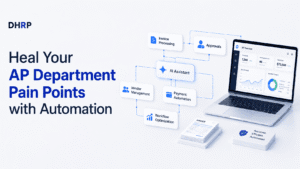
This is where accounts payable automation software comes in. OCR-Based Invoice Capture eliminates manual data entry. Unlike manual three-way matching, automated three-way matching identifies exceptions. Workflow automation assigns approvals to the appropriate person without asking them to take any additional steps. The automation of the accounts payable process doesn’t eliminate the need for skilled accounts payable employees, it eliminates the parts of the job that make skilled AP employees want to leave.
Imagine that a medium-sized Australian distribution company handles 1000s of invoices every month from a diverse range of suppliers. Prior to automation, two AP officers would spend the bulk of their week manually typing and ensuring that approvals were received and that there were no errors until the month-end recon to be sure. Once this Dynamics 365 accounts payable automation was put in place, the manual process of capturing and approval routing of invoices was eliminated and employee time was focused on the tasks that required judgement: i.e. supplier enquiries, exception handling and reporting. It’s a realistic pattern of what’s seen in a lot of companies: Automation is not meant to replace the accounts payable position, it’s meant to advance it.
When it comes to the nuts and bolts of AP automation, it’s simply software that automates the rules-based portions of the invoice-to-payment process that allow your team to focus on exceptions, relationships, and analysis.
Step 2: Develop Career Pathways Beyond Invoice Processing
If AP employees don’t quit the job because it’s difficult, they quit because it seems like a dead end. If all it’s about is entering data and chasing invoices, then your aspirations will be elsewhere, and you’ll be stuck training replacements forever.
Whereas businesses create visible progression, such as exposure to ERP and systems training, as well as access to reporting and analytics, and a route to positions in financial control, treasury or process improvement, the retention rate improves. Certifications on ERP or automation systems demonstrate employees that the company is investing in their potential, not just the output.
This is only made possible by automation. When repetitive tasks are managed by software, AP staff can focus on higher value-add tasks such as supplier relationship management, input for cash-flow forecasting, or process optimisation projects. If there is no automation, there’s no time in the day for growth work.
Step 3: Priortisation of Flexible and Hybrid Ways of Working
Flexibility is no longer a privilege, it’s a requirement, and AP is no different. But with cloud ERP, the need for an on-site user for invoice approval, reporting, or working with suppliers is eliminated. Now, having remote access to AP functionality is commonplace and not a special arrangement.
The typical problem is that hybrid AP work is seen as time off for AP, and not as work-based on output. If their operation is successful, they establish clear guidelines on turnaround time and availability for month-end, and leave it up to the employees to work their schedule accordingly.
There are businesses that are inflexible, forcing good employees to seek out more accommodating businesses, and there are businesses that claim to be flexible but don’t have the systems in place to enable their remote workers to make the most of their flexibility.
Step 4: Make AP Visible and Valued
AP is something people typically only become aware of when things don’t go their way. When someone is late, misses a discount, escalation from a supplier. That’s a “seeing” imbalance that leads to resentment. There is not a single person who can be motivated in a job where the only feedback received is criticism.
There’s no need for elaborate recognition. It’s not just about regular performance chats, recognising process improvements and seeing the impact of AP on cash-flow and supplier relationships. Monitor and reward more than just the number of invoices paid on time, such as supplier satisfaction, exception resolution time, or discounts earned due to early payment. If the leadership team can demonstrate the measurable impact of AP, the team doesn’t feel invisible, but valued.
The Thing Most Businesses Don't Know About AP Turnover
The greatest misunderstanding is that all, if any, AP resignations are centred on salary. It’s usually about process frustration: manual effort, legacy systems, and “technology debt” that’s making simple things difficult. Staff do not need to explain “technology debt” to themselves to understand it; all they have to do is feel the pain.
The replacement of an experienced AP officer is far more expensive than any leader would think because of the cost to hire and train a new officer, lost supplier knowledge, and the loss of productivity during the replacement’s ramp-up. Retention isn’t about having a soft HR objective; it’s about having strict cost control.
How to Determine If Your AP team is At Risk?
Be alert to any of the following indicators: overtime that is building up at the end of the month, errors increasing, lack of engagement in meetings, or unexpected leave. Track key KPIs in finance, such as invoice processing time, exception rates, and employee turnover patterns.
Explicitly ask your team: What are some things that happen in your week that you feel repetitive? What are the areas of restriction? When the responses are continually “process” and not necessarily “workload,” it is a good indicator that it’s time to invest in process redesign or automation, not only more people.
Good Vs. Bad Retention Strategies
Strategies | Bad and Ineffective | Good and Effective |
Management style | Reacting to resignations | Ongoing monitoring of engagement and workload |
Staffing | Recruit more people to deal with broken processes | Fix the process, then add staff as needed |
Workflow | Manual invoice processing as the norm | Automating repetitive, rules-based tasks |
Feedback | Annual performance reviews only | Continuous, regular feedback and recognition |
Talk to a Dynamics 365 Partner About AP Automation
None of this is possible with a bought off-the-shelf software product. The best businesses to see a growth in their retention rates are the ones that get the automation right, not the ones where employees are working around a generic out-of-the-box solution because it is not built to their specific approval workflows, supplier volume, and compliance needs. This is where a competent D365 Partner can help turn automation into a time saver, versus another system to manage.
Having worked with Australian businesses for decades on Microsoft Dynamics 365 implementations, this experience is evident in retention outcomes, which are the outcomes DHRP Applications & Solutions focus on.
The right AP automation deployment from the beginning, taking into consideration exception handling, approval chains and reporting, will make employees feel the benefit almost right away, without months of workarounds. The decision on who to implement with is as much about retaining your AP team as it is about IT.
Conclusion
It’s not a problem of HR offering better perks to prevent people from leaving the company, it’s a process issue that manifests as people leaving the company. Automating repetitive tasks and creating a true career path, flexibility, and making AP’s impact visible makes the difference in retention and performance.
To prevent your next AP resignation, take a look at your workflows, your team’s everyday life, and how automation can eliminate the friction that’s quietly driving people out the door. Companies that are getting it right aren’t paying more, they’re making the job better.
FAQs
Rarely on its own. Although compensation is an issue, most of the resignations come from repetitive manual tasks, unclear career paths and lack of recognition. Process friction is more likely to affect a process than just pay alone.
Eliminates repetitive and error-prone manual activities, such as manual data entry, invoice matching, chasing approvals, etc., which are leading to employee burnout; frees up time for employees to focus on more value-added tasks, such as exception handling and supplier relationship management.
Discuss the challenges and frustrations directly with staff, and monitor metrics such as turnaround time and exception counts. This helps to determine if the problem is process-related, before making a commitment to the fix.
Yes, Dynamics 365 supports invoice capture, workflow and approval routing features, which meet the local compliance requirements. Please check Microsoft’s official document for latest feature specs.
Not on its own. For the most part, the more people that are added to a broken manual process, the more frustrated everyone is. Addressing the root cause of the workflow is often more effective and cost efficient.