Every Friday afternoon, someone in your finance organisation is running around looking for a manager to approve something that’s languishing in an inbox since Tuesday. A supplier contacts you to inquire about why they aren’t being paid. The duplicate payment is flagged too late to reimburse it cleanly, 3 weeks later. None of this appears on a bottom line that is listed as “AP dysfunction” on a P&L, but it is costing Australian businesses real money, and most finance leaders have never even calculated the cost.
You’re not the one who has to deal with hundreds of invoices every month, from multiple approvers, cost centres or business units, so you know it’s not the invoice. It is all their way of life, routing, chasing, correcting and reconciling. It’s the problem that needs to be solved, not the one that businesses aim for. If the AP automation solutions you’re looking at for the AP department are just meant to address the paper they’re handling, they will fail.
The Reasons Why AP Pain Persists
A majority of AP inefficiencies are not due to a single faulty step. They’re the result of lots of things, for instance, a spreadsheet, an approval via email, a shared inbox that were never meant to be part of a system. Some of the most detrimental patterns:
Approval Bottlenecks.
Invoices get bogged down because they are not urgent, don’t know who should approve them, or get lost. Escalation logic is not included, so a $400 invoice might be languishing in its approval queue just as long as a $40,000 invoice.
No Visibility of Invoices.
With paper invoices and inboxed emails, no one, not the AP manager, not the CFO, can answer “where is this invoice right now?” without asking around.
Duplicate Payments.
These are typically not due to negligence. They occur when a single invoice is received both by e-mail and by mail, and is recorded twice but not checked by any system before payment is processed.
Fraud Exposure.
Business email compromise (BEC) and fake-supplier scams thrive on this non-validated environment; a changed BSB in an email thread is easy to miss.
Vendor Relationship Strain.
Payment delays and irregularities lead to a loss of supplier goodwill, resulting in reduced prices, less favourable conditions, or loss of priority in periods of shortage.
An Increase in Wages Without an Increase in Production.
The more invoices there are, the more heads there will be; the number of people will be linear. If the number of invoices increases, the number of heads will increase; there will be a linear relationship between the two.
Friction Over Audit and Compliance.
If approval trails are stuck in inboxes and not a system of record, then audit season turns into an archaeological dig.
Siloed Processes by Entities.
In a multi-entity or multi-state business, there may be three or four different “versions” of AP with idiosyncrasies that are not standardised.
Misunderstanding About AP Problems
Most businesses have a misunderstanding about AP problems that they are failing to recognise. The common remedies are not the right ones.
- “We do need more AP staff."
Getting more people to process a broken workflow faster is not a solution to the workflow — it’s just more people getting stuck in the same visibility issues and approval delays.
- “The solution is to get faster data entry.”
Data entry speed was a non-issue. The constraint occurs once the data has been entered, that of routing, exception handling, and multi-party sign-off.
- “Email approvals work just fine.”
Email is not a control system! It doesn’t have any audit trail, there are no escalation rules, and there is no segregation of duty enforcement mechanisms.
- “The AP is administrative only.”
It is not dealt with as a cash flow or supplier function or a fraud risk, which is why it seldom receives a priority level for investment until it gets in trouble.
In almost all cases, the true reason is that AP was never intended to be a workflow. It developed as a collection of single habits that were strung together under time constraints.
The Hidden Cost of Manual AP
The obvious expenses, such as worker time and the occasional late fee, are only apparent on a budget line. The costs that do not show anywhere are typically higher:
- Not paid on time for discounts. A 2/10 net 30 term will be no use if invoices take a month just to be approved.
- A growing frustration with suppliers. A late payment is acceptable. A pattern of these changes will influence how a supplier values your business.
- Employee burnout. Approval chasing and data re-keying by skilled finance staff is a retention risk; it's not only a productivity risk.
- Delayed month-end close. When an excellent invoice is not received, and unreconciled accruals are not received, close dates are pushed off, delaying all downstream decisions of reporting and forecasting.
- Making decisions based on outdated information. By relying on AP data more than 2 weeks old, a CFO is essentially predicting cash flow without eyes.
- Opportunity cost. Firefighting the exceptions for AP is time that is not spent on analysis that actually increases business size – supplier negotiation, working capital strategy, scenario planning.
Industry benchmarking by Ardent Partners’ 2025 State of ePayables research indicates that manual processing costs about AUD 13-20 per invoice and that, on average, organisations with immature automation spend about 17 days processing an invoice. Best-in-class teams, on the other hand, process invoices for closer to AUD 2–3 each and it takes about 3 days to process them. That gap, which gets repeated thousands of times per month on each invoice, isn’t a rounding error; it’s a line item that most businesses have never actually added up.
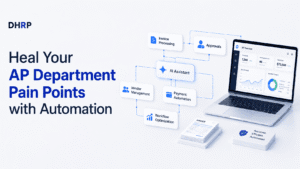
How Modern AP Automation Works
The AP workflow automation isn’t a broken process that is glued on with a scanner. It’s a different workflow altogether:
- Invoice capture:
Invoices are received in e-mail, portal or, more recently, Peppol e-invoicing instead of being manually entered from PDF or paper.
- OCR and AI extraction:
Modern AI accounts payable automation reads the header and line-level data without requiring any pre-built template for each supplier and gets better with every supplier it processes, learning supplier formats over time.
- Automated validation:
Data is validated against purchase orders, receiving records, and vendor master data well before it ever gets to a human.
- Touchless invoice processing:
Validation of clean, properly matched invoices can go directly to payment scheduling without any manual effort.
- Exceptions and above-threshold invoice routing:
Exceptions and above-threshold invoice routing to the right approver automatically and escalates if it hangs too long.
- Handling exceptions:
If a mismatch, price difference or missing PO is detected, it is pushed to a programmed exception handling path rather than a generic exception queue.
- Payment preparation:
Approved invoices are fed into payment batches and automatic duplicate and fraud checks are performed.
- Reporting and analytics:
End-of-month dash for what is outstanding and why is no longer a problem with real-time dashboards.
This is a major change in operations: AP staff are no longer data-entry clerks but are now exception managers and process owners; a very different job.
The Difference Between Bad Vs. Good AP Automation
Bad AP Automation | Good AP Automation |
Only scanning paper invoices (scan and store) | Capture to payment, fully automated. |
Automating approvals without addressing the root cause of the problem. | Redesigning the workflow before the automation process. |
Point tools that do not communicate with ERP | Automation built into and integrated into the ERP. |
We will be reviewing the report each month and will be using static reporting. | An up-to-the-minute view of all invoices’ statuses |
Manual exception triage | AI exception management with predefined exception resolution flows. |
The difference is really important because the first column is the place most automation failures reside – when they address the symptom (paper) without addressing the real problem (workflow design).
Selecting the Best AP Automation Software
The decision on what software to use should be based on fit, not features:
- Scalability
Will it be able to scale 3 times the volume of your current invoices without re-architecting?
- AI capability maturity.
Ask specific questions about the accuracy of extraction with time and what happens if the data is exceptional, rather than if “AI” is listed on the feature list.
- Reporting depth.
Is it possible to achieve invoice-level and KPI level reporting without exporting to excel?
- Security and controls.
These are not secondary features that should be added on, but primary features that should be incorporated into segregation of duties, audit trails and payment fraud controls.
- Australian compliance fit.
Annually, more importance is being attached to the handling of the GST, validation of ABN, and readiness of businesses for Peppol e-invoicing – a process the ATO is strongly pushing on, and which will require federal government agencies to process at least 30 per cent of their invoices on Peppol by mid-2026.
- Vendor support model.
Project risk is significantly lowered through local support and implementation partners who are knowledgeable of the Australian finance processes.
- The complexity of implementation and total costs of ownership.
It is common to see that the cheapest licence is not the cheapest project, as implementation, integration and change management are more expensive than the software itself.
Return on Investment (ROI) for Real Accounts Payable Automation
Consider an average Australian business that manually processes 4,000 invoices per month, at an average cost of AUD 15 per invoice, including cost of labour, expense of error correction and rework; the total cost of manually processing 4,000 invoices in a month stands at approximately AUD 720,000 a year, or AUD 60,000 per month.
If we consider the potential benefits of blending costs (saving 40-50% of current AP processing spend, not including any early payment discount captured or reduced time spent correcting errors), then even 60% of that volume being touchless processed at a similar automated cost (about AUD 3 per invoice) could bring blended costs down to about AUD 8-9 per invoice.
The working capital benefit- better visibility of when cash is due, less unplanned cash outflows – adds to the direct labour saving when compared to manual processes (industry benchmarks indicate that best-in-class teams close invoices within about 3 days compared to 17 days for manual).
The numbers are indicative and do not constitute a promise that any ROI will be influenced by the mix of invoices the business is currently sending, exception rates, whether the current process is fully automatable or needs human judgment, and more.
Accounts Payable KPIs You Should Track
- Cost per invoice – The most direct way to determine if automation is really making a profit.
- Exception rate – Top-performing AP teams have near 9% exception rates, as opposed to the industry average closer to 22%, according to Ardent Partners' 2025 benchmarking.
- Touchless processing rate – Percentage of invoices that never have to touch human hands; the best-in-class organisations are at 35% or higher.
- EPDC capture rate – A direct dollar benefit, not captured by most manual AP teams.
- Supplier dispute rate (an indirect measure of relationship health, if tracked, and very predictive of future negotiating leverage).
- Approval turnaround time – Filters if bottlenecks are located in the AP department or with other approvers in the business.
Without a baseline, there’s not much point in tracking a KPI, because how will you be able to tell if the investment was successful? One of the accounts payable best practices for building this measurement discipline is to have it in place from the get-go, or at least after the first year; teams that do that tend to hold onto their gains, while others subconsciously return to their previous ways within a year.
The Untold Story of Most AP Automation Projects
The vast majority of AP automation initiatives fail to bring the desired benefits for well-known reasons – they automate the invoice, not the process. Storing an invoice as a digital copy and stating that you’ve automated AP is only half the story because the problems still exist: approving the invoice, dealing with exceptions, reconciling it with other systems. Using a spreadsheet and requesting approvals via email is not a solution; it’s the modus operandi of many Australian businesses and is quietly eroding valuable hours each week.
The businesses that are utilising automation for real value have done so because they viewed it as a restructuring of their workflows, rather than software just for software’s sake and another hope that the process will improve as a by-product. That redesign is much simpler for organisations that already use Dynamics 365 Finance, as AP automation, vendor management and financial reporting can work with the same data without having to stitch together exports. It’s not a sales pitch; it’s a reality of collaborating within one system versus a multitude of separate systems, and that’s an operational advantage that’s well worth considering when drawing up an automation roadmap.
FAQs
No, businesses of mid-market size that work with anything more than a couple hundred invoices monthly will often find they can recover their investment the quickest, as manual processes simply don’t work as well when it gets big. Inefficiency is more likely to be accepted in larger businesses, whereas in smaller finance teams, it will be felt very quickly. The number and complexity of the transactions that are coming through the AP department per month is far more important than the size of the company.
The length of time it takes to design, scope and go-live a well-scoped ERP integration will vary depending on the integration scope, but can range from a few months, not including change management and staff training. The haste for this stage can result in reduced adoption and lower touchless processing rates when the system goes live. Companies that involve people in the implementation of a new change can achieve the greatest and longest-lasting successes.
No, usually not; it takes the emphasis off of data entry and onto exception management, vendor relationships, and process ownership, areas of interest for most AP staff, not data entry. The teams that do well at automation tend to reallocate people to more valuable analysis, not to reduce staffing. The skills needed evolve from manual to judgement-based decision-making.
Not yet for the private sector but compulsory for Commonwealth government agencies that receive invoices, and will be progressively rolled out by 2026 – and B2B is required but voluntary. For most accounting and ERP systems, Peppol support is included as standard, meaning that it can be adopted and used voluntarily without having to install it separately. Adoption of early business will avoid a scramble later if a policy turns towards a B2B mandate.
Most companies just duplicate the existing flawed process and automate it, instead of redesigning it. Without automating the approving process, exception management or system integration, the true pain points remain. When businesses realise ROI, they view automation as a workflow redesign project, not as a quick fix that’s added to old workflows.
Do not speed up manual touchpoints, but reduce them slowly – automated capture, validation and approval routing means that items don’t make it onto staff desks to begin with, so the number of items those desks need to process is reduced. This frees up AP time to focus on exceptions and vendor management, instead of the mundane workload. That’s what is the basis for a growing invoice volume with no additional staff members.