Mobile devices are the new HQ for sales. It is not just Australian businesses that depend on it; global companies now rely on mobile. Whether it is field reps, hybrid sellers, or a distributed B2B team, a mobile-first CRM isn’t just nice to have; it is the backbone of an organisation.
This CRM is the remote sales team’s productivity tool, helping reps improve productivity, achieve on-time compliance, and deliver an off-chart customer experience. So, it is a primary environment for sales to make informed decisions and not just take notes. In fact, the deals you’re making probably depend on it.
Among many modern CRMs on the market, the one that stands out for its marketing and sales features is Microsoft Dynamics 365. When considering the benefits of mobile-first CRM software, it becomes clear how such tools can transform the way sales teams operate.
The question is, how are mobile-first CRM solutions empowering your sales reps? Let’s find out, especially in light of CRM trends 2025.
Why Mobile-First CRM Solutions Now?
Remote and hybrid work is now mainstream in any region. More than half of Australian employees work from home at least on different occasions. So, the sales workflow needs to travel with people rather than stay on the desktop.
The global mobile CRM market is growing every day, prompting vendors to invest heavily in mobile UX, offline sync, AI, and other significant integrations. This makes the modern CRMs more accessible and capable for sales and managers to connect.
What “Mobile-First” Really Means?
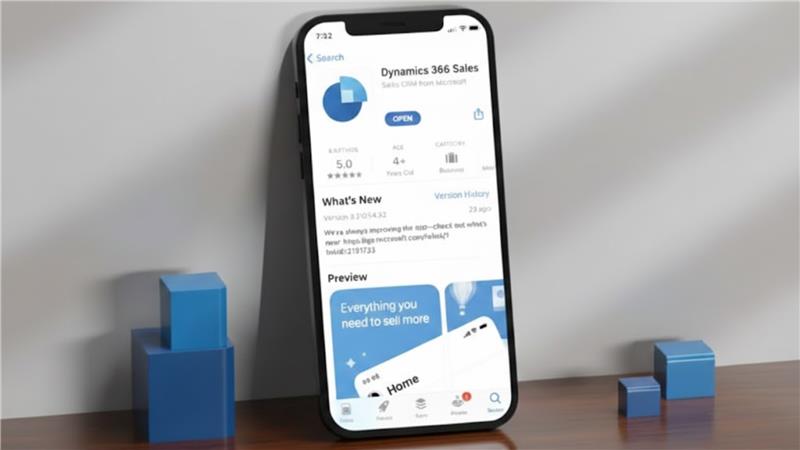
A real mobile-first unified CRM isn’t just a smaller version of a desktop one. It’s specifically built for easy one-handed use, fast data entry, simple searches, and keeping you aware of what’s happening around you. Dynamics 365 really captures this idea with:
- The interface is designed to be simple, making it easy to use with taps, swipes, and hardly any typing.
- Context-aware features show you what matters most based on the time, your location, and your past interactions.
- Smart notifications give you gentle reminders for sales without being annoying.
- You can access AI in CRM software with decision support right on your mobile screen.
Why Dynamics 365 Stands Out as a Mobile-First CRM
Microsoft has invested heavily in the mobile side of Dynamics 365 CRM, including a dedicated mobile app and strong ties to Microsoft 365, Power Platform, and Azure AI. For businesses weighing on-premise CRM vs cloud CRM, Dynamics 365 clearly showcases the advantages of a cloud-first, mobile-ready approach.
Here are some key features that are really important for remote sales teams in Australia, especially in line with CRM and marketing automation trends 2025.
Dynamics 365 Mobile CRM: Features That Transform Remote Selling
The Dynamics 365 CRM for sales productivity offers the features of a complete package:
1. Powerful Offline Mode
Dynamics 365 isn’t just about basic offline caching; it offers a lot more, and offline sync is one of the significant Dynamics 365 mobile CRM features. Sales reps can:
- Create and update contacts, accounts, notes, tasks, and opportunities
- Snap photos, record voice notes, and attach files
- Fill out forms and detail their visit
- Automatically sync everything when they're back online, with a system to handle any conflicts
- Keep using custom fields, workflows, and forms even when offline
With these capabilities, Dynamics 365 Mobile CRM ensures sales teams stay productive anytime, anywhere.
2. AI-Driven Sales Assistance on Mobile
With the Copilot features in the mobile app, sales reps can get real-time insights right from their phones, no laptop needed. Here are some of the standout features:
- Automatic summaries of calls and meeting notes that sync directly with CRM records.
- Suggestions for next steps based on where things stand in the pipeline, past communications, and the risk of deals.
- Predictive scoring for prioritising opportunities.
- AI-generated emails and replies that come straight through the mobile interface.
This basically turns a phone into a smart sales coach, rather than just a tool for entering data.
3. Seamless Communication Tools
Sales reps can easily track their interactions on the go:
- They can make calls with just a click, and those calls are logged automatically.
- There are SMS and email templates right in the mobile app for quick communication.
- It works with Teams too, so they can dive into chats, share files, and work on proposals together.
- Plus, Outlook sync ensures email conversations are automatically added to Dynamics without any manual effort.
This really helps with the whole “I’ll update this later” issue that can mess up data quality.
4. Location Intelligence and Route Planning
With Dynamics 365, sales reps can make the most of the map features and location tools to:
- Check out accounts and leads that are close by
- Plan their travel routes and make visits more efficient
- Geotag their notes and photos
- Automatically confirm when they’ve been on-site
- Keep tabs on their field activities to improve territory planning
This is especially useful for teams working across large national or state territories.
5. Customisable Mobile Workspaces
This is one of the top benefits of mobile-first CRM software. Admins can tweak the mobile UI without needing to code at all. They can:
- Hide fields that aren't used to make input quicker
- Create custom forms for things like site visits, audits, or inspections
- Set up quick actions like 'Create Lead,' 'Add Note,' or 'Log Visit'
- Adjust mobile dashboards to show KPIs, tasks, and pipeline stages
- Set up role-based access for different teams.
All of this helps cut down on hassle and keeps everyone using the CRM smoothly.
6. Enterprise-Grade Security for Australian Compliance
Dynamics 365 offers some great features, like:
- Multi-factor authentication (MFA)
- Role-based permissions
- Field-level security
- Support for mobile device management (MDM)
- Remote wipe capabilities
- Encryption both at rest and in transit
- Options for data residency using Microsoft’s data centres in Australia.
All of these align nicely with the Australian Privacy Principles (APPs) and the specific compliance needs of different industries.
7. Deep Integration With the Microsoft Ecosystem
For Australian companies using Microsoft 365, the benefits are huge:
- You get Power BI mobile dashboards for up-to-the-minute analytics.
- Power Apps allows you to create custom mobile tools on top of your CRM.
- SharePoint/OneDrive helps with managing documents.
- Teams serves as the main platform for communication.
- Azure AI gives you predictive insights.
And the best part? Everything integrates smoothly, with no awkward connections.
Conclusion
Mobile-First CRM Solutions are now essential for driving productivity, efficiency, and enhanced customer experiences. With Dynamics 365 CRM, businesses can achieve measurable CRM implementation ROI by enabling sales teams to work seamlessly from anywhere.
Features like offline access, AI-driven insights, customizable mobile workspaces, and enterprise-grade security make remote selling more effective than ever.
For companies looking to maximise the benefits of a mobile-first CRM, DHRP offers expert Dynamics 365 CRM implementation services tailored to organisational needs. Investing in these solutions ensures your sales teams stay connected, informed, and productive, translating into real business growth.
FAQs
Top mobile CRM solutions include Dynamics 365 CRM, Salesforce Mobile, and Zoho CRM. Dynamics 365 stands out with offline access, AI insights, and seamless integration with Microsoft tools.
CRM tools empower remote sales teams to track leads, update opportunities, communicate efficiently, and access customer data from anywhere, boosting productivity, decision-making, and customer engagement.
Yes, Dynamics 365 mobile CRM enhances remote productivity with offline mode, AI-driven guidance, location intelligence, customizable workspaces, and seamless integration, enabling sales reps to manage deals efficiently on the go.