Timesheets that are not submitted on time cause delays in the payroll. A project manager finds out that a job is $3,000 over budget 3 weeks later, not 3 days. Unfortunately, hours are not synced between the two systems, so an HR administrator has to re-key hours from the spreadsheet into the payroll system every fortnight. None of these issues is ever revealed at product demos. All of them appear six months after a company signs a contract to use time tracking software that seemed like a no-brainer.
Most Australian buyers get burnt when they have to evaluate the time tracking tool against actual cycles of work, actual interpretations of awards and actual hybrid teams. Deciding on employee time tracking solutions is not as much about having the most features in the app. It’s all about discovering the one that aligns with the methodology your business utilises in the present payroll, HR and reporting environment. Let’s take a look at the six factors that really make or break that fit.
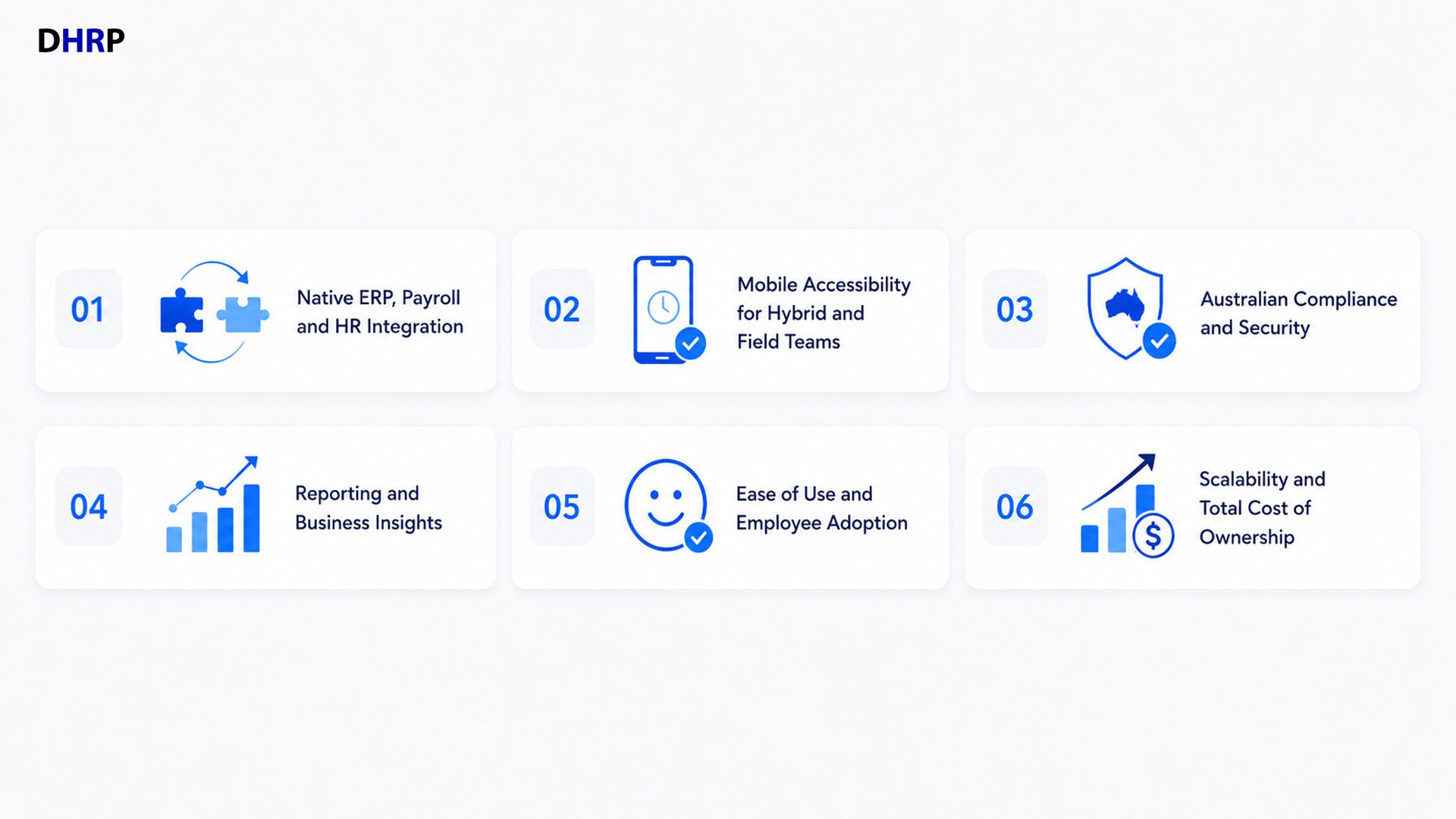
1. Native Payroll, HR and ERP Integration
Standalone time tracking software applications are easy to install and maintain. When the hours roll into payroll, most stand-alone systems require a manual export or a CSV import or a “babysitter” middleware connector to manage them every pay cycle. It’s when things go wrong: a misaligned column, a missed approval, a pay run that needs to be fixed after it’s already been done.
ERP integration, especially with a platform like Microsoft Dynamics 365, alters the game. Businesses avoid the double-entry that is the root cause of most payroll disputes when time data is directly entered into payroll, HR and project costing. Even a hundred-featured time tracking tool without any meaningful payroll integration will be a cost for the business every 2 weeks. The one that has fewer features, but is truly integrated, will generally be the better choice in terms of effort saved. It is important to start by filtering on integration depth and not on number of features.
2. New and Emerging Technologies
Mobile time tracking is being sold as a convenience. It’s basically a data accuracy function in action. You’re a field tech, a health-care worker between shifts, or a construction crew at work at 5 pm, trying to record hours from memory or end-of-week reconstruction accurately is where it all begins.
Find offline capture that syncs when connectivity is restored, GPS or geofencing validation when accuracy really counts, and manager approvals that can be completed on a phone rather than on a desktop. Mobile access isn’t an add-on for hybrid or field teams; it’s a timesheet that captures what has actually occurred, instead of what someone remembered later.
3. Australian Compliance and Security
It’s surprising how often compliance is only considered as a checkbox, rather than a buying criterion- the opposite of what should be the case, as Fair Work record-keeping requirements, the interpretation of awards, and overtime rules are where poorly configured systems can lead to real financial and legal exposure. The time tracking system should ensure accurate recording, have audit trails, and use role-based permissions to prevent access to highly sensitive pay data by individuals who don’t need to see it.
Security is a concern no less. Cloud-based systems, especially those on top of an existing cloud platform like Microsoft Azure, tend to have more built-in security than smaller, stand-alone vendors hosting their own solutions. This blend of compliance and enterprise-grade security is not a luxury; it’s a must-have for Australian businesses.
4. Reporting and Business Insights
A time tracking tool that just logs hours isn’t doing its job. A more interesting question is, of course: what these hours expose – which projects are spending more or less than expected, which teams are under- or over-used, and where the spending on labour is falling short of expectations.
Executive dashboards and Power BI integration ensure that time sheets data is not wasted on reporting at the end of the month but enables leadership to take action; whether it’s reallocating resources, adjusting quotes or catching the budget overrun before the last day of the month.
Companies that are only using time tracking for payroll are missing out on a valuable source of operational data.
5. Ease of Use and Employee Adoption
No matter how well a system is designed and integrated, it will not work out if employees don’t use it correctly. Adoption issues rarely manifest themselves as complaints; they manifest as late-submitted timesheets, timesheets submitted from memory, or timesheets that are rounded and inaccurate. It’s more of a usability problem than a training issue.
Friction that leads to avoidance is reduced by intuitive self-service entry, quick onboarding, and streamlined manager approvals. If a system is full of features that staff do not use correctly, it will hurt a system with fewer features that they do use correctly.
6. Scalability and Total Cost of Ownership
The apparent expense is the subscription price. These are the costs that become apparent later: implementation, training, support, integration work, and customisation, as the business expands, and they are typically larger. A time-tracking solution could be good for 20 people at a single entity but could work very differently for 200 people or across multiple entities.
Before signing, businesses should consider how scaling will take place – will the platform support multiple business units that are separate from the re-platform process, and what will be the cost of support after the initial contract term? The true cost of the software is determined over a period of 3 to 5 years and is a much truer figure than the monthly licence fee.
The Things That a Lot of Businesses are Not Aware of When Purchasing a Product
Most comparison articles are feature checklist articles. Few people ever think about the structural buying mistakes that come in the way of them: purchasing a tool for what features it offers instead of the existing workflows; buying a tool for employee monitoring instead of operational visibility; underestimating the change management effort needed to change the staff habits they have followed; and ignoring the cost of integration until it appears as a separate line item during implementation.
It is possible to have a tool that scores high on all the features and not do so if it doesn’t fit into the way payroll, HR and project teams work, day to day.
How to Find Out the Best Time Tracking Solution.
A usable assessment tool:
- Determine business needs: payroll cycle, staffing needs, compliance requirements.
- Know what payroll and HR systems are currently in place and what you need to integrate with before you consider vendors.
- Look for details on integration. Do not accept a generic response like "yes, we integrate.
- Try out with workers, not administrators, before committing.
- Confirm Australian compliance: record keeping, understanding the award, and data security.
- Check the reporting functionality against what decisions your business needs to make.
- Take future growth into consideration: Multi-entity support, Customisation limits.
- Do not consider just the first bill; consider total cost of ownership over several years.
Conclusion
A time tracking solution is not an administrative solution, but strategic. How effective and reliable integration is, how easily it can be relied upon via mobile, how it can be made to comply with regulations, how useful it is in reporting, how well it’s adopted by the workforce and how much it costs to implement, are all factors that decide whether a system saves a business time or simply adds more work without providing any results. Over 3 years, the least expensive product on the market doesn’t always come out on top on any of these criteria.
For Australian businesses already deployed or looking to deploy Microsoft Dynamics 365, working with a seasoned implementation partner can significantly cut through the evaluation process. Since 1993, DHRP Applications & Solutions has implemented and integrated Australian organisations with Dynamics 365 and Power Platform, such as workforce management and time tracking, and can help you align these six factors to your payroll and HR environment.
FAQs
Purchasing a tool through a feature checklist and not aligning the tool with current payroll/HR processes. Systems that have fewer features but are truly integrated with their payroll systems tend to be more successful than those that offer a lot of features but are not actually integrated into a system. Businesses usually find this out after they implement the tool, when a tool that has been reviewed favourably becomes a labour-intensive process to perform. This trap can be avoided altogether by testing against real workflows before signing.
Not necessarily, but manual exports and CSV imports are a source of errors and repetitive administrative tasks. Integrating directly with payroll and HR systems also helps avoid double entry and helps prevent under- or overpayment, especially when calculating overtime or interpreting awards. The only way to get the accuracy you’ll need is to have the time data written directly into payroll, even with a well-designed stand-alone application. Native integration is typically possible for businesses using Microsoft Dynamics 365 without the need for custom middleware.
It’s at the very heart of hybrid, remote or field-based teams rather than an afterthought. Mobile access enhances accuracy by enabling workers to record their working time on the job, not at the end of the pay cycle; more time on the job, less time having to remember. Offline capture and GPS / geofencing validation are most important for construction, healthcare, and service industry locations where connectivity is not guaranteed during construction operations. Businesses in these industries are more likely to have late or estimated time sheets when they cannot access them from their mobile devices.
The essentials of the Fair Work record-keeping requirements, correct award and overtime interpretation, audit trails and access to sensitive pay data by role are key criteria to check before buying. Such things are not seen as ‘nice to haves’; the system can have an actual underpayment exposure which can only become apparent months or years later when an audit is undertaken. Compliance should also be evaluated, and not just as an IT discussion, but what security measures the vendor is taking to keep employee data safe and secure on the cloud.
Rarely. The monthly subscription fee is often negligible compared to the total cost of ownership over three years, since the implementation, training, support and future scalability costs are all taken into account. An inexpensive tool that needs manual export of payroll, a lot of change management, or a costly re-platform when the business expands to a second entity can cost more than a more expensive option that offers better integration. Looking at cost over multiple years is much more representative than the initial invoice.